Cursor vs GitHub Copilot (2026): Features, Pricing in India, Free Plans and Which to Pick
AI Coding 13 min read By Sanjeev Pratap Singh
In this articleTable of contents13
Last updated: 10 October 2026
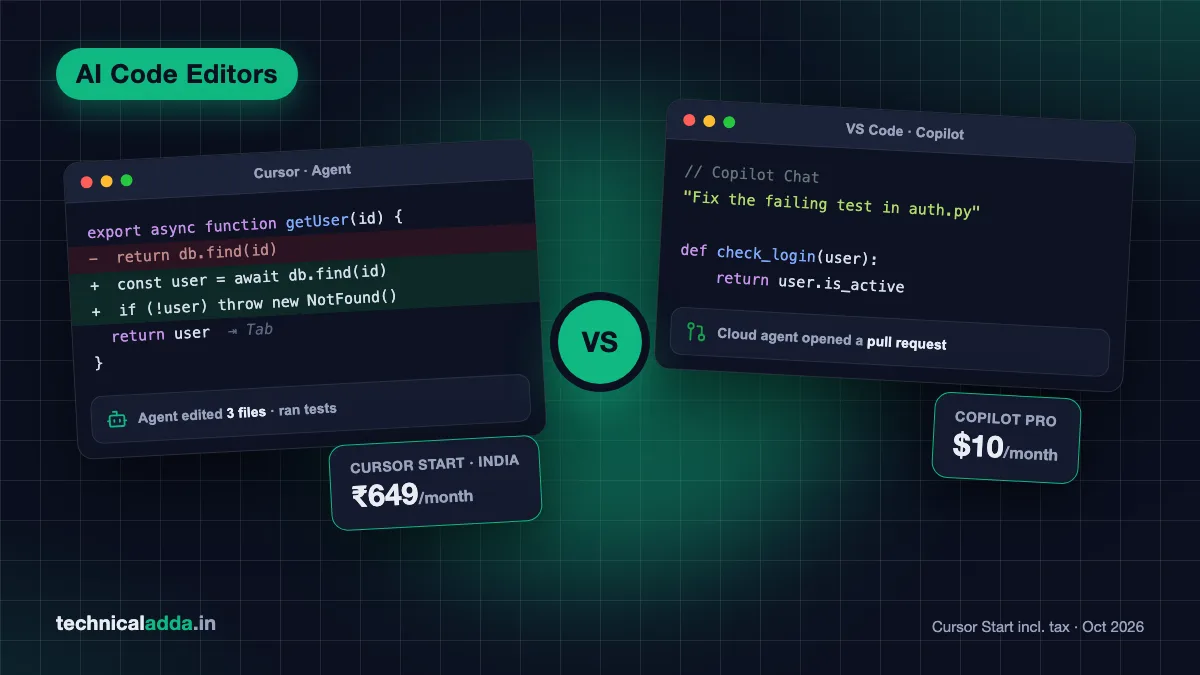
Cursor vs GitHub Copilot is the most common question Indian developers ask before paying for an AI coding tool. Both promise faster coding, both have AI agents, and both have changed their pricing a lot in 2026. GitHub moved Copilot to "AI Credits" in June, and Cursor launched a special ₹649 plan just for India in July.
This guide compares the two on features, agent modes, pricing in US dollars and approximate rupees, free tiers and student options. By the end, you will know exactly which one suits a student, a fresher, a freelancer or a team.
Quick answer: Choose GitHub Copilot if you want the cheapest paid plan ($10/month), free access as a verified student, and support across many editors. Choose Cursor if you want the most powerful multi-file AI agent inside one dedicated editor. Indian users on a budget should also look at Cursor's ₹649 Start plan, payable by UPI.
Cursor vs GitHub Copilot at a glance
| Point | Cursor | GitHub Copilot |
|---|---|---|
| What it is | A full AI code editor (based on VS Code) | An AI assistant that plugs into many editors and GitHub |
| Free plan | Hobby: limited Agent requests | Free: 2,000 completions/month + limited chat and agent use |
| Cheapest paid plan | Start (India only): ₹649/month incl. tax | Pro: $10/month (about ₹950) |
| Main paid plan | Pro: $20/month (about ₹1,900) | Pro+: $39/month (about ₹3,700) |
| Student offer | No formal programme right now | Free Copilot Student plan for verified students |
| Best known for | Powerful multi-file Agent and fast Tab | Wide editor support and deep GitHub integration |
| Cloud/background agent | Yes (cloud agents) | Yes (Copilot cloud agent, opens pull requests) |
| MCP support | Yes | Yes |
INR values are approximate, using roughly ₹95 per US dollar; the rate was close to ₹97 in early October 2026, so actual charges may be slightly higher. They exclude GST, except Cursor Start which is priced in rupees.
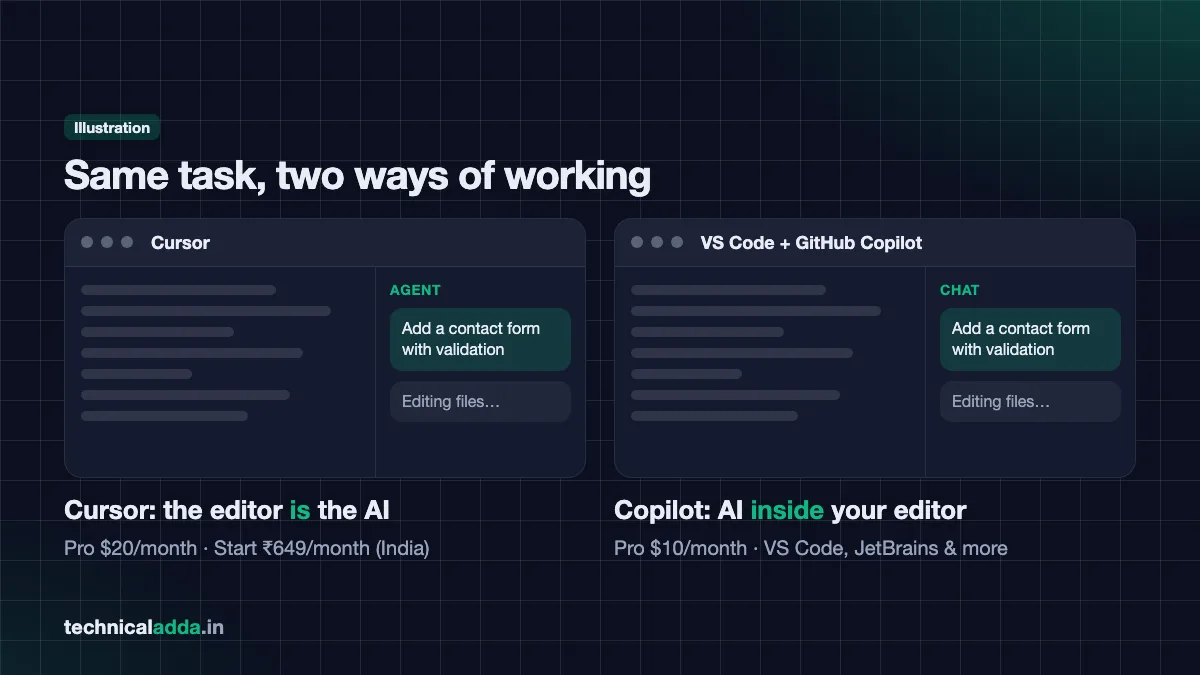
What is Cursor?
Cursor is a standalone code editor built on top of VS Code. Because it is a fork of VS Code, your extensions, themes and shortcuts mostly carry over. The difference is that AI is built into every part of the editor instead of being an add-on.
Key Cursor features in 2026, as listed on Cursor's pricing page (opens in new tab):
- Tab – Smart autocomplete that predicts your next edit, not just the next word. Paid individual plans include unlimited Tab completions.
- Agent – Give a task in plain English and it edits many files, runs terminal commands and fixes errors.
- Cloud agents – Agents that run in the background in the cloud, so you can keep working while they build and test.
- Composer – Cursor's own fast coding model, available even on the free Hobby plan.
- Bugbot – AI code review on pull requests (usage-based billing on individual plans).
- MCP, skills and hooks – Connect the agent to outside tools like databases, GitHub or Figma.
- Mobile and CLI – Cursor has an iOS app and a command-line tool for agents.
Cursor is popular with people who like the vibe coding style of building apps, because its Agent can take a vague idea and turn it into a working project.
What is GitHub Copilot?
GitHub Copilot is an AI assistant from GitHub (owned by Microsoft) that works inside the editor you already use. You don't switch editors. As of October 2026, GitHub's docs list support for VS Code, Visual Studio, JetBrains IDEs, Eclipse, Xcode and Neovim, so you just install the Copilot extension in the one you use.
Key Copilot features in 2026:
- Code completions and Next Edit Suggestions – Inline suggestions as you type. On paid plans these are unlimited and do not use AI Credits.
- Copilot Chat – Ask questions about your code and choose from several AI models.
- Agent mode – In the IDE, Copilot can plan and make multi-file changes and run commands.
- Copilot cloud agent – Assign an issue to Copilot on GitHub. It works in a cloud environment, pushes commits and opens a pull request for you to review. Each session can run for up to 59 minutes, as per GitHub's docs.
- Code review – Copilot can review pull requests on GitHub.
- MCP support – Connect Copilot to outside tools and data.
Copilot's biggest strength is that it lives where your code already lives: on GitHub.
Feature comparison
| Feature | Cursor | GitHub Copilot |
|---|---|---|
| Inline autocomplete | Tab (unlimited on paid plans) | Completions (2,000/month free, unlimited on paid) |
| Chat with codebase | Yes | Yes |
| Multi-file agent in editor | Yes, core feature | Yes (agent mode) |
| Background/cloud agent | Yes | Yes, works from GitHub issues |
| PR code review | Bugbot | Copilot code review |
| Choice of AI models | Yes, many frontier models on Pro and above | Yes, multiple models; usage billed via AI Credits |
| Works in JetBrains/Visual Studio | No, you use Cursor's editor | Yes |
| Own in-house model | Composer | No GitHub-built flagship; offers models from OpenAI, Anthropic, Google, Microsoft, xAI and others |
| MCP servers | Yes | Yes |
| Mobile app | iOS app | Copilot Chat in the GitHub Mobile app |
Where Cursor is stronger
- Agent quality and speed in day-to-day use is the main reason people switch to Cursor. It was designed around agents from the start.
- Codebase understanding feels deeper because the whole editor is built for AI.
- One place for everything: Tab, chat, agent and review sit in one tool.
Where GitHub Copilot is stronger
- Editor freedom: Use it in IntelliJ, PyCharm, Android Studio or Visual Studio without changing tools.
- GitHub integration: Assign issues to Copilot and get pull requests back.
- Price: The Pro plan is half the price of Cursor Pro in dollar terms.
- Students: Free access for verified students through GitHub Education.
Agent modes compared
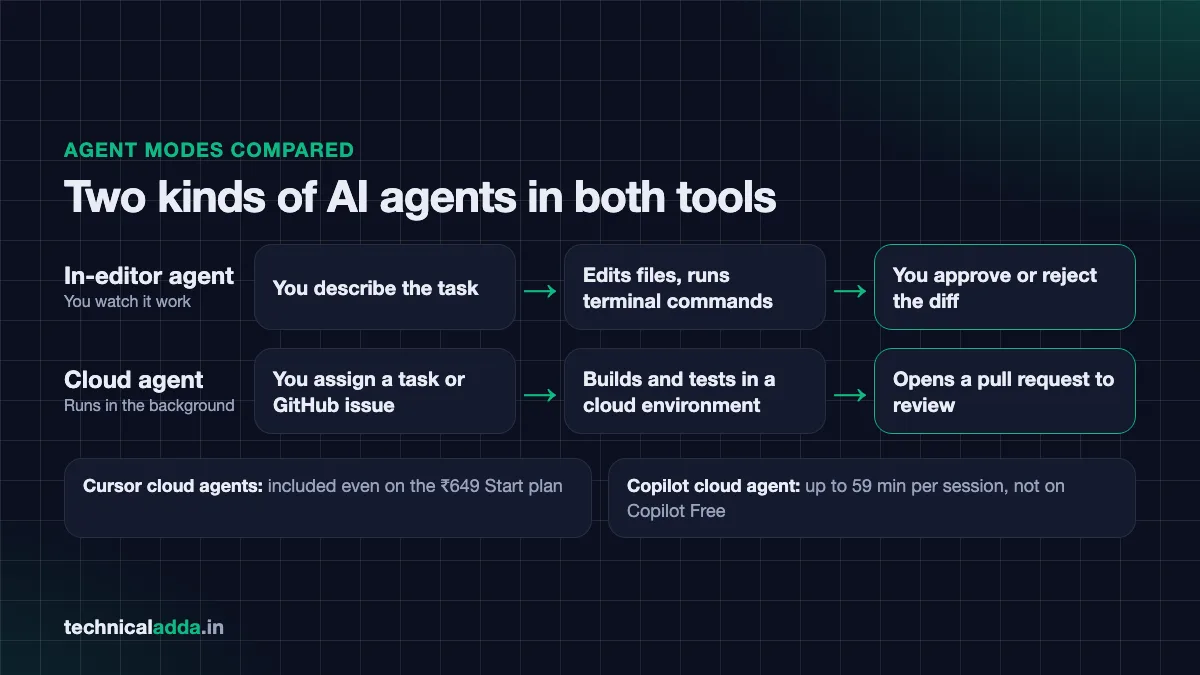
Both tools now have two kinds of agents: one that runs in your editor and one that runs in the cloud.
In-editor agents
Cursor Agent works inside the editor. You describe the task, it reads relevant files, makes edits across the project, runs commands in the terminal and shows you a diff. You approve or reject changes. It can also use MCP tools if you have set them up.
Copilot agent mode works similarly in VS Code and other supported IDEs. It plans the change, edits files, runs terminal commands (with your approval) and fixes errors it finds.
Cloud agents
Cursor cloud agents run in the background on Cursor's servers. They can build, test and open pull requests. Even the India Start plan includes always-on cloud agents, according to Cursor's Start plan announcement (opens in new tab).
Copilot cloud agent starts from the agents panel, a chat, or an issue on GitHub. It works in a temporary cloud environment, runs tests and linters, and opens a pull request. Each task is limited to one repository and one branch. It is included on paid individual plans and the Copilot Student plan, but not on Copilot Free, as per GitHub's plan documentation (opens in new tab).
Which agent is better?
For quick, interactive changes while you watch, many developers prefer Cursor's Agent. For "assign it and forget it" tasks tied to GitHub issues, Copilot's cloud agent fits naturally into team workflows. Results depend heavily on the model you choose and how clearly you write the task.
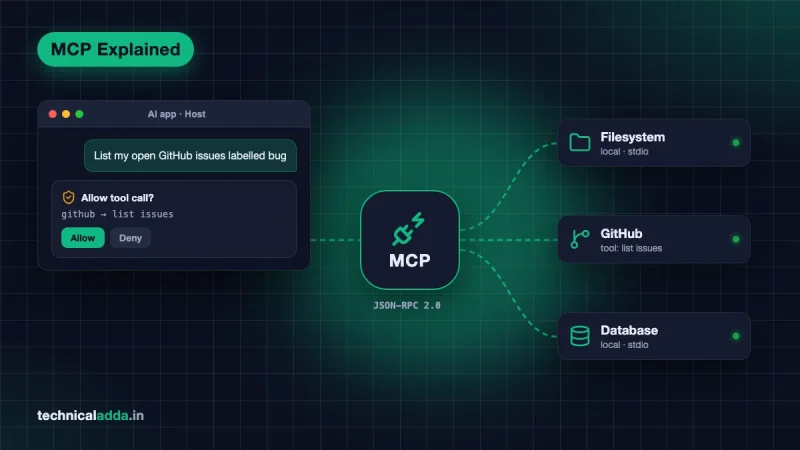
To give either agent access to databases, docs or design files, read our explainer on what an MCP server is.
Pricing in USD and INR
Both companies changed their pricing in 2026, so read this section carefully.
Cursor pricing (October 2026)
| Plan | Price (USD) | Approx. INR | What you get |
|---|---|---|---|
| Hobby | Free | ₹0 | Limited Agent requests, access to Composer |
| Start (India only) | — | ₹649/month (tax inclusive) | Grok 4.7, Grok 4.6, Grok 4.5 and Composer 2.5, more Agent requests than Free, cloud agents, MCP, iOS app |
| Pro | $20/month | ~₹1,900 | Extended Agent limits, frontier models, unlimited Tab, cloud agents |
| Pro Plus | $60/month | ~₹5,700 | Higher usage than Pro |
| Ultra | $200/month | ~₹19,000 | Highest individual usage |
| Teams Standard | $40/user/month | ~₹3,800 | Team billing, SSO, privacy mode, Bugbot reviews |
| Teams Premium | $120/user/month | ~₹11,400 | 5x the Standard Agent limits |
Source: cursor.com/pricing (opens in new tab) and Cursor docs. Usage beyond included limits is billed as on-demand usage. Yearly billing is also offered; use the Yearly toggle on the pricing page to see current annual prices.
About Cursor Start: Launched on 28 July 2026, it costs ₹649/month including tax and can be paid by UPI, debit card or credit card. It focuses on the Cursor Models pool: Grok 4.7, Grok 4.6, Grok 4.5 and Cursor's Composer 2.5, as listed in Cursor's docs (October 2026). It does not list the full set of frontier models, Bugbot, Auto mode or on-demand usage that Pro includes. For many Indian students and freelancers, it is the most affordable way into Cursor.
GitHub Copilot pricing (October 2026)
From 1 June 2026, Copilot moved to AI Credits, where 1 credit = $0.01. Credits are used up based on the tokens your chats and agents consume. Completions and Next Edit Suggestions do not use credits.
| Plan | Price (USD) | Approx. INR | AI Credits per month |
|---|---|---|---|
| Free | $0 | ₹0 | Limited allowance; 2,000 completions/month |
| Student | $0 (verified students) | ₹0 | Monthly allowance (amount not stated in GitHub's plan docs); auto model selection only |
| Pro | $10/month | ~₹950 | 1,500 (1,000 base + 500 flex) |
| Pro+ | $39/month | ~₹3,700 | 7,000 (3,900 base + 3,100 flex) |
| Max | $100/month | ~₹9,500 | 20,000 (10,000 base + 10,000 flex) |
| Business | $19/user/month | ~₹1,800 | 1,900 per user |
| Enterprise | $39/user/month | ~₹3,700 | 3,900 per user |
Source: GitHub Copilot plans documentation (opens in new tab).
What this means in real money
- Cheapest useful paid option: Cursor Start at ₹649 (India only) or Copilot Pro at about ₹950.
- Mid-range power users: Cursor Pro (about ₹1,900) vs Copilot Pro+ (about ₹3,700). Cursor Pro is cheaper here.
- Card payments: Dollar plans are charged in USD, so your bank may add forex markup, and 18% IGST can apply to online services bought from overseas providers. Check your invoice to see whether GST has been charged.
Free tiers and student plans
Free plans compared
| Point | Cursor Hobby | Copilot Free |
|---|---|---|
| Cost | Free, no card needed | Free |
| Autocomplete | Not specified on the pricing page (Pro and above get unlimited Tab) | 2,000 completions/month |
| Agent/chat | Limited Agent requests | Limited chat and agent usage |
| Cloud agent | Not listed for Hobby | Not included |
| Good for | Trying the editor | Light daily coding |
Both free plans are good for testing, but neither is enough for full-time work. If you only need a free tool, keep an eye on our upcoming list of the best free AI coding tools.
Student plans
GitHub Copilot: Verified students get the free Copilot Student plan. You apply through GitHub Education at github.com/settings/education/benefits, verify with your college ID or email, and then activate Copilot Student. GitHub rechecks eligibility every month. The Student plan gives more than Copilot Free but less than Pro. Since 24 June 2026, Copilot Student (like Copilot Free) uses auto model selection only, so you cannot pick a specific model yourself. GitHub paused new Student sign-ups in April 2026 and began reopening them in phases from mid-June 2026. Verified teachers and maintainers of popular open-source projects may get Copilot Pro free.
Cursor: Cursor ran a "free Pro for a year" student offer in 2025. As of October 2026, its students page (opens in new tab) does not describe an active free-Pro offer. It says anyone can start free and asks students to look out for promotions at Cursor's on-campus and online events. For Indian students, the ₹649 Start plan is the practical paid alternative.
Privacy, security and company use
If you work at a company, check its policy before using either tool on office code.
- Cursor offers a privacy mode, and team plans can enforce it for everyone. Teams plans also include SAML/OIDC single sign-on.
- GitHub Copilot Business and Enterprise let admins control policies, model access and features across the organisation. Copilot cloud agent can be turned off for specific repositories.
- Both tools can run terminal commands through their agents. Always review commands before approving, especially anything that deletes files or touches production servers.
- Never paste secrets (API keys, passwords) into chat. Use environment variables.
AI-generated code can contain security issues even when it looks correct. Treat every agent change like a pull request from a new team member.
Which one should you pick?
| You are… | Best pick | Why |
|---|---|---|
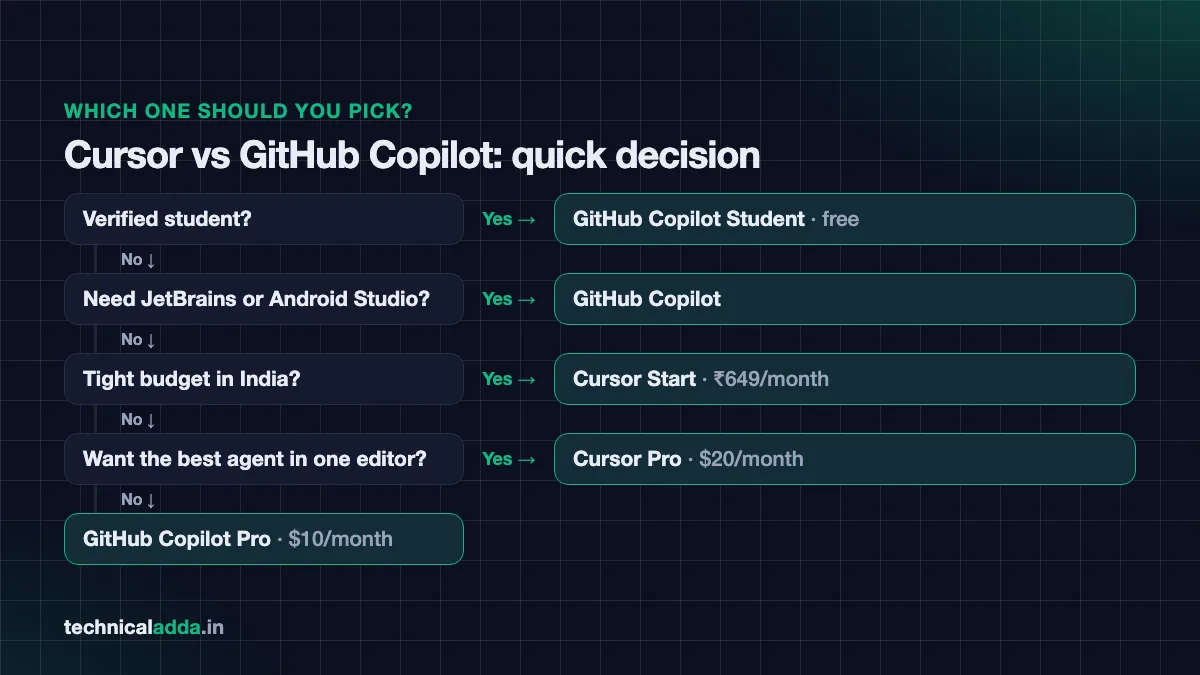
| College student (verified) | GitHub Copilot Student | Free, works in any editor |
| Student/fresher in India, no student verification | Cursor Start (₹649) or Copilot Pro (~₹950) | Lowest monthly cost |
| Freelancer building full apps fast | Cursor Pro | Strong Agent, unlimited Tab, good value at $20 |
| Java/Android developer on IntelliJ or Android Studio | GitHub Copilot | Works inside JetBrains IDEs |
| Team already using GitHub heavily | Copilot Business | Issue-to-PR cloud agent, admin controls |
| Heavy agent user who hits limits | Cursor Pro Plus or Copilot Pro+ | More usage; compare based on your models |
Our simple verdict
- Pick GitHub Copilot if you are a student, love your current editor, or want the lowest dollar price.
- Pick Cursor if you want the most capable AI-first editor and are happy to switch from VS Code.
- Indian budget pick: Cursor Start at ₹649 is hard to beat if Grok and Composer models are enough for you.
Many professional developers actually use both: Copilot inside JetBrains at work and Cursor for side projects. If you prefer a terminal-based agent instead, look out for our Claude Code tutorial.
How to try both without wasting money
- Start free. Install Cursor Hobby and Copilot Free on the same laptop.
- Pick one real task. For example, "add a contact form with validation to my portfolio site".
- Run the same prompt in both. Note time taken, number of errors, and how much you had to fix by hand.
- Check limits. See how fast each free quota drops after a normal day of coding.
- Upgrade only the winner. Pay monthly first; switch to annual only after a month of steady use.
- Track spend. With usage-based billing on both sides, check your usage dashboard every week.
These AI tools are also great for building portfolio projects. If you are job hunting, see our guide on AI jobs for freshers in India for project ideas recruiters like.
Key takeaways
- Cursor is an AI-first code editor; GitHub Copilot is an AI assistant that plugs into many editors and GitHub.
- Copilot Pro costs $10/month (about ₹950) with 1,500 AI Credits; Cursor Pro costs $20/month (about ₹1,900).
- India-only Cursor Start costs ₹649/month including tax, payable by UPI.
- Verified students get the free Copilot Student plan; Cursor has no formal student plan right now.
- Both have in-editor agents, cloud agents and MCP support; Cursor's agent is its main strength, Copilot's GitHub integration is its main strength.
Conclusion
The Cursor vs GitHub Copilot decision comes down to three things: your editor, your budget and how much you depend on AI agents. Copilot wins on price, student access and editor freedom. Cursor wins on agent power and an AI-first experience, and its ₹649 Start plan makes it very attractive for Indian users.
Try both free plans with the same task, then pay only for the one that saves you more time. Next, learn how non-coders build apps with AI in our Lovable vs Bolt comparison, or explore more guides in our AI Coding section.
FAQ
Frequently Asked Questions
Is Cursor better than GitHub Copilot?
Cursor is better for developers who want a powerful AI agent built into one dedicated editor, while GitHub Copilot is better for those who want to stay in their current IDE and work closely with GitHub. Copilot is also cheaper at $10/month and free for verified students. The right choice depends on your editor, budget and how much you rely on agents.
What is the price of Cursor in India?
Cursor Pro costs $20 per month, which is roughly ₹1,900 before GST and bank charges. Cursor also launched an India-only Start plan in July 2026 that costs ₹649 per month including tax and can be paid by UPI or card. A free Hobby plan with limited Agent requests is also available. Higher plans include Pro Plus at $60 and Ultra at $200.
What is the price of GitHub Copilot in India?
GitHub Copilot Pro costs $10 per month, which is roughly ₹950 before GST and forex charges. Pro+ costs $39 and Max costs $100 per month. Business is $19 and Enterprise is $39 per user per month. A free plan with 2,000 completions per month exists, and verified students can get the free Copilot Student plan through GitHub Education.
Is GitHub Copilot free for students in India?
Yes, verified students in India can use GitHub Copilot for free through the Copilot Student plan. You need to apply through GitHub Education with your college details and get verified. The Student plan offers more than Copilot Free but less than Copilot Pro. GitHub rechecks eligibility every month, so keep your student status updated on your account.
Does Cursor have a free plan?
Yes, Cursor has a free Hobby plan that needs no credit card. It includes limited Agent requests and access to Cursor's Composer model. It is good for trying the editor but not enough for full-time coding. For more usage, Indian users can choose the ₹649 Start plan, or the global Pro plan at $20 per month with unlimited Tab completions.
Can I use GitHub Copilot inside Cursor?
Cursor is based on VS Code, so many VS Code extensions install in it, but using GitHub Copilot inside Cursor is not the typical setup, and Cursor is not on GitHub's list of supported editors for Copilot (as of October 2026). Most people use Cursor's built-in Tab and Agent instead. If you want Copilot, it's simpler to use it in VS Code, JetBrains or another supported editor.
What are GitHub Copilot AI Credits?
GitHub Copilot AI Credits are the usage units Copilot started using on 1 June 2026, replacing premium requests. One credit equals $0.01, and credits are used based on the tokens consumed by chat and agent tasks. Copilot Pro includes 1,500 credits monthly. Code completions and Next Edit Suggestions do not use any credits on paid plans.
Which is better for beginners, Cursor or Copilot?
For beginners, GitHub Copilot is often easier because it works inside VS Code, which most tutorials use, and it is free for verified students. Cursor is also beginner-friendly since it looks like VS Code, and its Agent can build whole features from plain English. Beginners should still read and understand the code these tools generate to actually learn programming.
Do Cursor and GitHub Copilot support MCP servers?
Yes, both Cursor and GitHub Copilot support MCP (Model Context Protocol) servers. MCP lets the AI agent connect to outside tools such as databases, GitHub, documentation or design files. In Cursor, you add servers in a project or global mcp.json file. In Copilot, MCP servers are configured in supported editors like VS Code. Only install servers from trusted sources.
Can I use Cursor or Copilot for office work?
You can use Cursor or GitHub Copilot for office work only if your company allows it. Many companies buy Cursor Teams or Copilot Business so that admins can control privacy settings, models and data use. Using a personal plan on company code without permission can break company policy, so always check with your manager or IT team first.
Where to buy
-
Visit official site (opens in new tab)
Cursor
-
Visit official site (opens in new tab)
GitHub Copilot