12 Best Free AI Tools for Students in India (2026): Free Picks Compared
AI Tools & Reviews 13 min read By Xavio Thomas
In this articleTable of contents9
Last updated: 10 October 2026
Looking for the best free AI tools for students in India? The good news is that you no longer need to pay ₹2,000 a month to study with AI. ChatGPT, Gemini, Claude and Gemini Notebook (formerly NotebookLM) all have strong free plans, and Google is even giving Indian college students a paid AI plan free for one year.
The bad news is that free offers change fast. Some popular deals, like free Perplexity Pro through Airtel and free ChatGPT Go, have closed for new users. This guide lists 12 tools that are genuinely free as of October 2026, what each is best for, their limits, and how to use them without getting into trouble for plagiarism.
Quick answer: The best free AI tools for students in India in 2026 are Gemini (with the free one-year Google AI Plus student plan), ChatGPT Free for Study Mode, Gemini Notebook for studying from your own notes, Claude Free for essays, and Perplexity Free for research with sources. Canva, QuillBot and Google Lens cover design, paraphrasing and homework help.
Quick comparison table
| # | Tool | Best for | Free plan? | Hindi support | Paid upgrade |
|---|---|---|---|---|---|
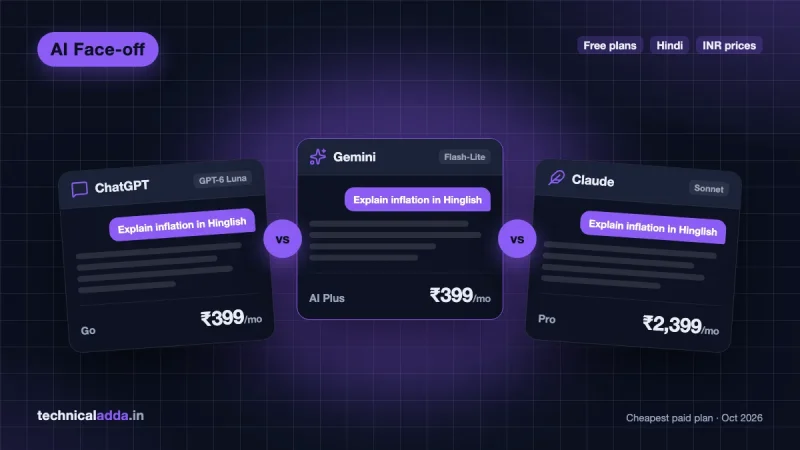
| 1 | Google Gemini | All-round study, Android users | Yes + free AI Plus for college students | Yes (9 Indian languages) | AI Plus ₹399/month |
| 2 | ChatGPT | Doubts, Study Mode, images | Yes (with ads) | Yes | Go ₹399/month |
| 3 | Gemini Notebook | Studying from your own PDFs | Yes | Yes | Via Google AI plans |
| 4 | Claude | Essays, reports, coding | Yes | Yes (written) | Pro ₹2,399/month |
| 5 | Perplexity | Research with sources | Yes | Yes | Pro ~$20/month |
| 6 | Microsoft Copilot | Free GPT-based chat, Windows users | Yes | Yes | Microsoft 365 plans |
| 7 | Google Lens / Circle to Search | Photo-based homework help | Yes | Yes | — |
| 8 | Canva | Posters, PPTs, project charts | Yes | Partial | Canva Pro |
| 9 | QuillBot | Paraphrasing, grammar | Yes | Limited | Premium |
| 10 | Grammarly | English grammar and tone | Yes | No | Pro |
| 11 | Google AI Studio | Coding and AI projects | Yes | Yes | Pay-as-you-go API |
| 12 | GitHub Copilot Student | Coding (verified students) | Yes, for verified students | — | Copilot Pro |
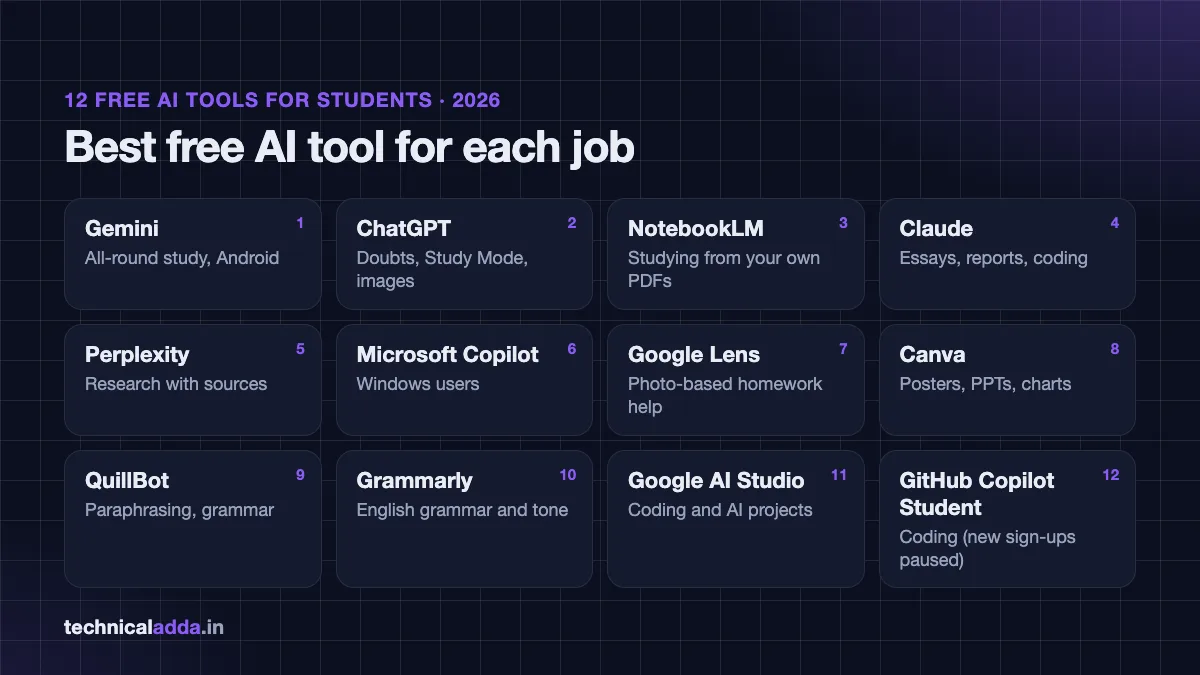
The 12 best free AI tools for students in India
1. Google Gemini (plus free Google AI Plus for college students)
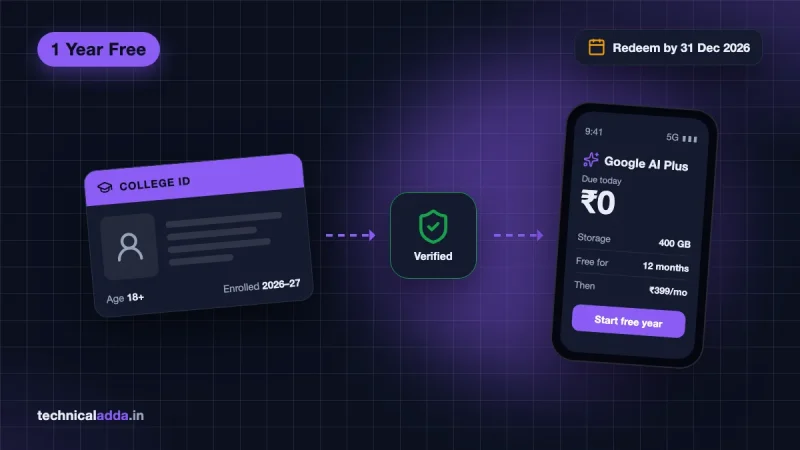
Gemini is Google's AI assistant, and it is the top pick for Indian students in 2026 for one reason: Google is offering Google AI Plus free for one year to eligible college students in India.
What you get free:
- Gemini app on Android, iPhone and web, in Hindi and eight other Indian languages.
- From 9 October 2026, the free plan uses the lighter Flash-Lite model.
- With the free AI Plus student plan: 2x higher usage limits, access to Gemini Omni, 400 GB of cloud storage, and unlimited uploads for study notebooks, visuals and Gemini Live, according to Google's student page (opens in new tab).
Limits to know:
- The student offer is for students aged 18+, must be redeemed by 31 December 2026, and needs a payment method at sign-up.
- After one year it auto-renews at ₹399/month unless you cancel.
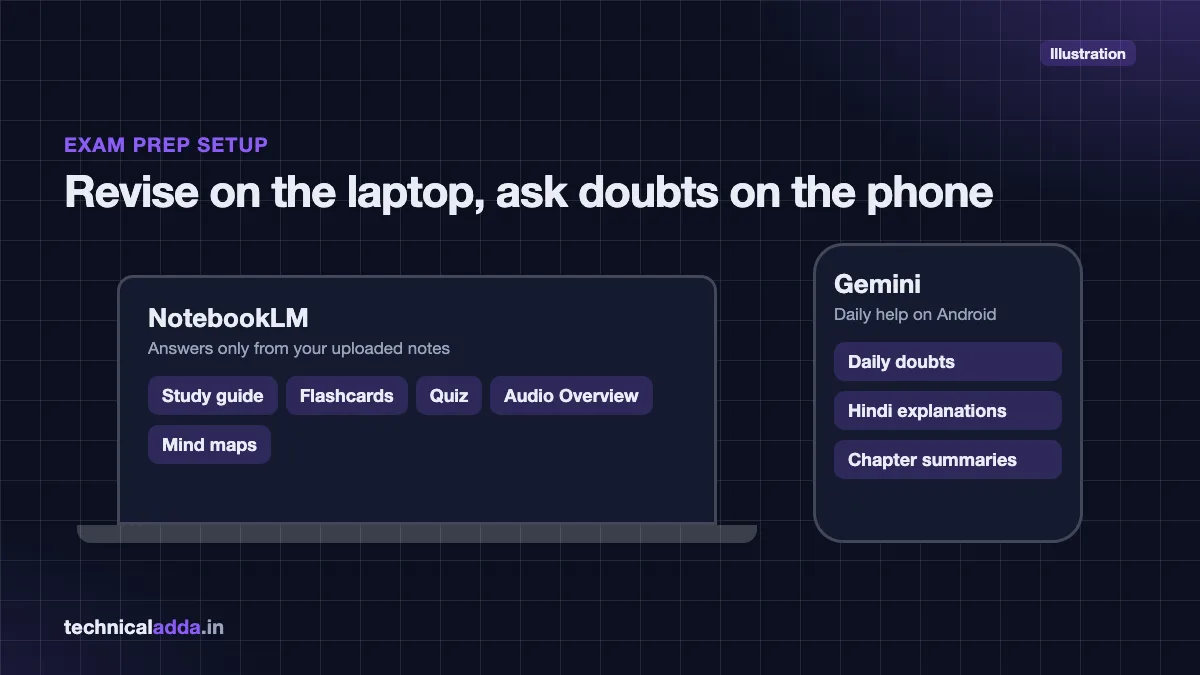
Best for: Daily doubts, summarising chapters, Hindi explanations, and anyone already on Android.
We explain every step of the claim process in our guide on Gemini Pro free for students in India.
2. ChatGPT Free (with Study Mode)
ChatGPT is still the most popular AI chatbot among Indian students. In October 2026, free users moved to the GPT-6 Luna model.
Why students like it:
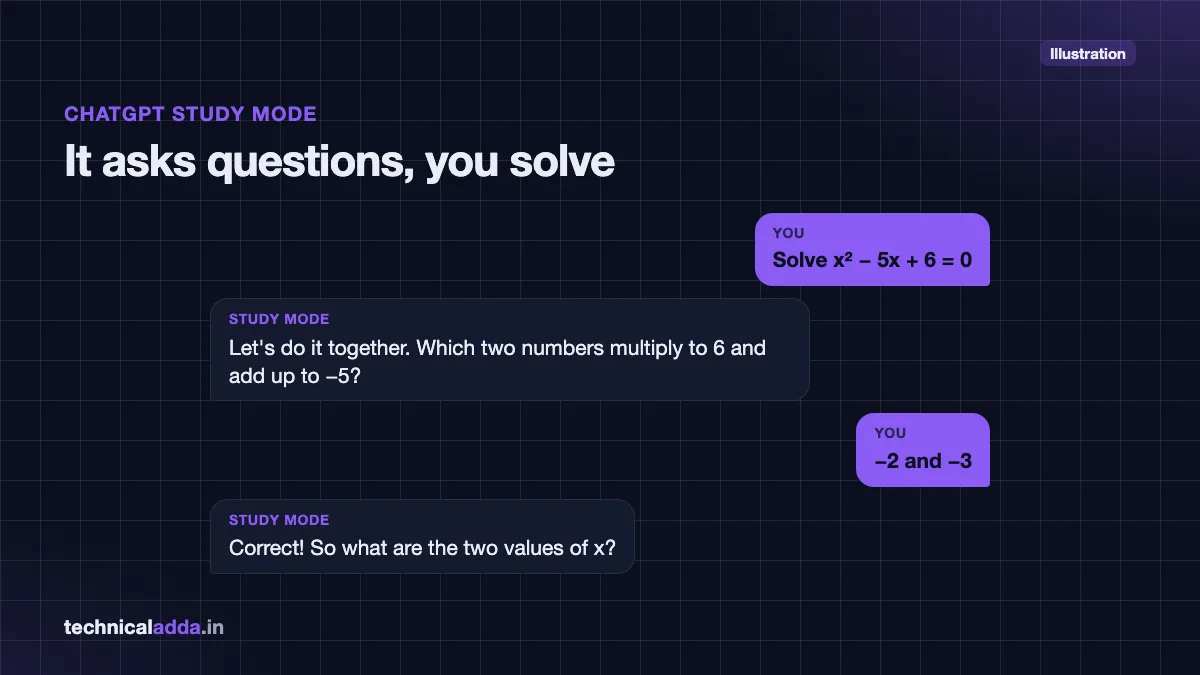
- Study Mode guides you step by step with questions instead of handing over the answer. This is great for maths and physics problems.
- Free image generation for project covers and diagrams.
- Voice mode for practising spoken English or viva questions.
- File upload: share a PDF chapter and ask for a summary or quiz.
Limits to know:
- Daily message and image limits are lower than paid plans.
- Since late August 2026, logged-in adult users on Free and Go in India may see labelled ads below answers.
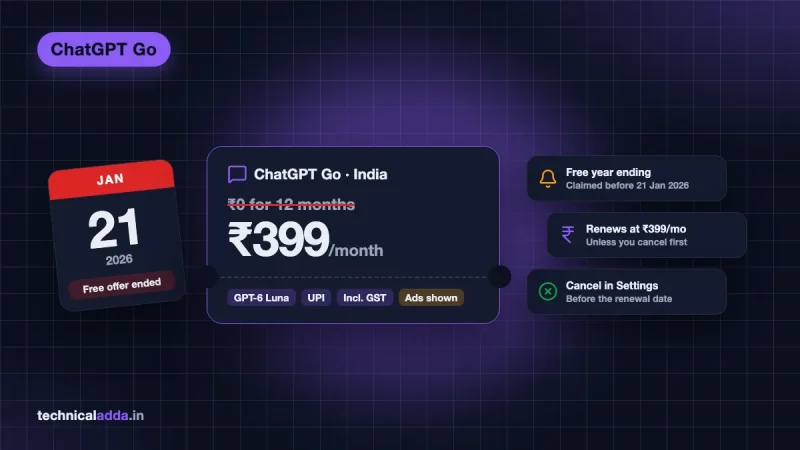
- The old "ChatGPT Go free for 12 months" India promotion has ended for new users. Read our ChatGPT Go free India explainer to understand what changed.
Paid option: If you outgrow the free plan, ChatGPT Go costs ₹399/month.
3. Gemini Notebook (study from your own notes)
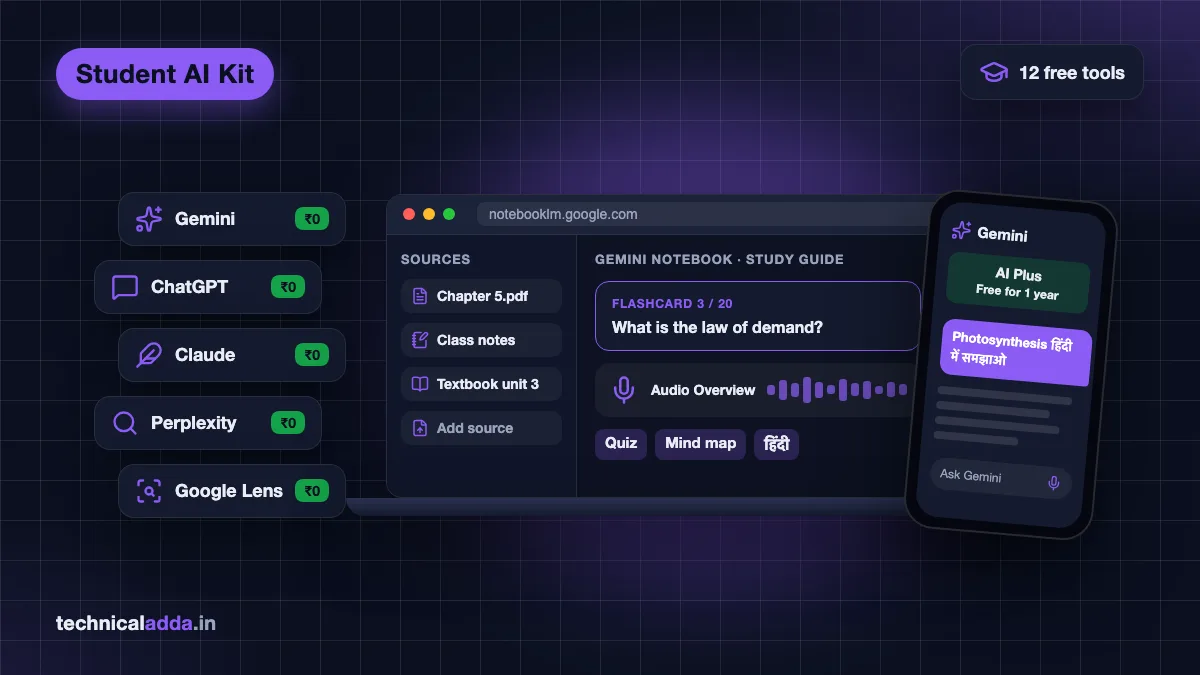
Gemini Notebook is a Google tool that answers only from the sources you upload, such as your class notes, textbook PDFs, YouTube lecture links or Google Docs. This makes it far less likely to make things up than a general chatbot.
What students can do with it:
- Upload a full chapter and get a study guide, FAQ, flashcards or quiz.
- Create an Audio Overview, a podcast-style discussion of your notes, and listen on the bus.
- Make mind maps to revise quickly before exams.
Free plan limits: Google's help page lists up to 100 notebooks and 50 sources per notebook on the free plan, with daily limits on chats and Audio Overviews that reset every 24 hours. You can also set Hindi as the output language for answers and Audio Overviews.
New name: In July 2026 Google renamed NotebookLM to Gemini Notebook. It is the same product, and the notebooklm.google.com address still works.
Best for: Exam revision, research papers, UPSC and competitive exam notes.
Learn the full workflow in our Gemini Notebook tutorial. You can open it at notebooklm.google.com (opens in new tab).
4. Claude Free
Claude by Anthropic writes some of the clearest, best-structured long answers. Its free plan includes the Sonnet and Haiku models, web search, file creation and code execution.
Best uses for students:
- Breaking down a tough concept slowly, like you are a beginner.
- Reviewing your essay or project report and suggesting improvements (not writing it for you).
- Explaining code line by line for programming assignments.
Limits to know: Claude Free has tighter message limits than ChatGPT, and it does not include Research or Claude Code. Projects are capped at five on the free plan. Claude also does not generate images.
Not sure whether Claude, ChatGPT or Gemini suits you? Our detailed ChatGPT vs Gemini vs Claude comparison covers prices in rupees, Hindi support and the best pick for students.
5. Perplexity Free (research with citations)
Perplexity is an AI search engine that gives answers with numbered sources, so you can check where each fact came from. This is very useful for assignments where teachers want references.
What's free: Unlimited basic searches and 3 advanced "Pro Searches" per day, according to Perplexity's help centre (as of October 2026). The Comet browser from Perplexity also became free in March 2026.
Important update: The famous free Perplexity Pro offer for Airtel users ended on 16–17 January 2026. If you claimed it before that, you keep Pro until your 12 months finish. Details are in our Perplexity Pro free Airtel guide.
Paid option: Students can check Perplexity's education discount, which requires student verification.
6. Microsoft Copilot
Microsoft Copilot is a free AI chat app that works on Windows, Edge, Android and iPhone. You can even use it without signing in, though signing in with a Microsoft account adds chat history, image creation and voice.
Best for: Students using Windows laptops who want a quick AI helper built into Edge to summarise web pages and PDFs.
Limits to know: The free Copilot app and website do not include Copilot inside Word, Excel and PowerPoint. For personal accounts, that needs a Microsoft 365 Personal, Family or Premium subscription, and only the subscription owner gets it, with AI usage limits, according to Microsoft's support page.
7. Google Lens and Circle to Search
This is the most underrated free AI tool for school students. Point your camera at a maths problem, a diagram or a paragraph, and Google explains it.
How to use it:
- On most Android phones, long-press the home button or navigation bar to open Circle to Search.
- Draw a circle around the question on your screen.
- Read the explanation Google shows, or type a follow-up question.
Best for: Class 8–12 students, quick doubt solving, translating English text into Hindi.
8. Canva (free plan and Canva for Education)
Canva helps you make posters, presentations, charts and infographics for school and college projects. Its AI features can generate designs from a short text prompt.
What's free: The Canva Free plan includes thousands of templates and some AI tools with limits.
Canva for Education: According to Canva's eligibility page (opens in new tab), Canva for Education is free for eligible K-12 (school) teachers and their students, but is not currently available for colleges and universities. School students usually get access through a teacher's invitation. Andhra Pradesh has also rolled it out across government schools.
Paid option: College students who need premium templates can consider Canva Pro.
9. QuillBot
QuillBot paraphrases text, checks grammar and summarises long articles. It is popular for improving the language of reports.
Free plan: Paraphrasing up to 125 words at a time in two modes (Standard and Fluency), plus a free grammar checker and summariser. Premium removes the word limit.
Use it wisely: Paraphrasing someone else's work is still plagiarism. Use QuillBot only to polish your own writing.
10. Grammarly
Grammarly checks grammar, spelling and tone in English. The free version works in your browser, Google Docs and on your phone keyboard.
Best for: Emails to professors, internship applications, SOPs and college essays.
Paid option: Grammarly Pro adds full-sentence rewrites and tone suggestions.
11. Google AI Studio
Google AI Studio lets you try Google's latest Gemini models for free in your browser and get an API key for projects. It is ideal for engineering and computer science students building chatbots, summarisers or final-year projects.
What's free: Browser-based testing of Gemini models and a free Gemini API tier. Rate limits vary by model and account, and Google shows your current limits inside AI Studio.
Best for: B.Tech, BCA and MCA students learning to build with AI. It is also one of the AI skills to learn in 2026 that recruiters notice.
12. GitHub Copilot Student
GitHub Copilot is an AI coding assistant that writes and explains code inside VS Code. Verified students have historically received it free through the GitHub Student Developer Pack.
Important update: In March 2026 GitHub moved students to a dedicated Copilot Student plan with auto model selection, and new sign-ups were paused from 20 April 2026. GitHub reopened sign-ups on 17 June 2026 (opens in new tab), so verified students can apply again through GitHub Education (opens in new tab). GitHub re-checks eligibility every month.
Best for: Programming students who can verify their student status. Until approval comes through, Claude Free, ChatGPT Free or Google AI Studio can help with coding.
Free student offers: what is live and what has ended
Free premium AI offers are the most searched topic among Indian students, and also the most confusing. Here is the status as of 10 October 2026.
| Offer | Status (10 Oct 2026) | Who can claim | Key date |
|---|---|---|---|
| Google AI Plus free for 1 year (students) | Live | College students in India, 18+ | Redeem by 31 Dec 2026 |
| Google AI Pro free for 1 year (students, 2025) | Ended | Was for Indian college students | Claim deadline was 15 Sep 2025 |
| Google AI Pro free for 18 months via Jio | Live | Jio users 18+ on ₹349+ unlimited 5G plan | No end date published |
| ChatGPT Go free for 12 months (India) | Ended for new users | Was for users in India | Ended 21 Jan 2026 |
| Perplexity Pro free via Airtel | Ended for new users | Was for Airtel customers | Ended 16–17 Jan 2026 |
| Adobe Express Premium free via Airtel | Live | Airtel prepaid, postpaid, broadband, DTH | Activate by 28 Jan 2027 |
| GitHub Copilot Student | Live | Verified students | Sign-ups reopened 17 Jun 2026 |
Tip: Be careful with YouTube videos and Telegram posts promising "free ChatGPT Plus for students" or "free Perplexity Pro codes". Many are old, and some are scams that ask for your login or card details. Always claim offers from the official website or app.
Best AI tools by student type
Different students need different tools. Use this as a starting kit.
School students (Class 8–12)
- Google Lens / Circle to Search for doubts from textbooks.
- ChatGPT Study Mode for step-by-step maths and science.
- Canva for Education (through your teacher) for projects.
College students (arts, commerce, science)
- Gemini with free AI Plus for daily help and 400 GB storage for notes.
- Gemini Notebook for exam revision from your own notes.
- Perplexity Free for assignments that need sources.
- Grammarly Free for emails and applications.
Engineering and coding students
- Claude Free for understanding code and debugging.
- Google AI Studio for building projects with an API.
- GitHub Copilot Student if you are a verified student.
Competitive exam aspirants (UPSC, SSC, banking, NEET, JEE)
- Gemini Notebook to turn standard books and notes into quizzes and summaries.
- Gemini for Hindi explanations of current affairs.
- Perplexity to check facts with sources (always cross-check with official material).
How to use AI for study without cheating
AI can make you learn faster, or it can make you learn nothing. Universities in India are also using AI-detection tools and viva checks, so copying AI answers is risky.
Follow these simple rules:
- Ask AI to explain, not to answer. Prompt: "Explain this concept like I'm in Class 10, then ask me 3 questions to check if I understood."
- Write first, then ask AI to review. Paste your own draft and ask for feedback on structure and clarity.
- Always verify facts. AI can be confidently wrong about dates, formulas and references. Cross-check with your textbook or official sources.
- Never submit AI text as your own. Check your college's AI policy; many allow AI for brainstorming but not for final submissions.
- Use AI to make practice tests. Ask for 10 MCQs from your notes and attempt them without help.
Useful study prompts to copy
- "Make a 7-day revision plan for [subject] for an exam on [date]. I can study 3 hours a day."
- "Summarise this chapter in 10 bullet points and give 5 likely exam questions."
- "Explain [topic] in simple Hindi with one real-life Indian example."
- "Check my answer for mistakes, but don't rewrite it. Just list what to fix."
Safety and privacy tips for students
- Use a personal account for offers like Google AI Plus; the Google student offer does not work on school-issued accounts.
- Never share your Aadhaar, bank details, OTPs or passwords with any chatbot.
- Cancel before renewal if you don't want to pay. Set a calendar reminder one week before your free year ends.
- Check app permissions before installing lesser-known AI apps from the Play Store.
- Avoid "free premium" APK files and shared login accounts. They often contain malware or get banned.
Key takeaways
- The best free AI tools for students in India in 2026 are Gemini, ChatGPT, Gemini Notebook, Claude and Perplexity, supported by Google Lens, Canva, QuillBot, Grammarly and Google AI Studio.
- Indian college students (18+) can claim Google AI Plus free for one year until 31 December 2026.
- Free ChatGPT Go and free Perplexity Pro via Airtel are closed for new users.
- GitHub Copilot's student plan paused new sign-ups in April 2026 but reopened them in June 2026.
- Use AI to explain and quiz you, not to write your assignments.
- Always set a reminder before any free plan auto-renews.
Conclusion
You don't need a big budget to study smarter with AI. The best free AI tools for students in India right now are Gemini (with the free AI Plus student year), ChatGPT Study Mode, Gemini Notebook, Claude and Perplexity, with Google Lens, Canva and Grammarly filling the gaps. Use them to understand and practise, not to copy.
Your next step: claim the Google student offer before 31 December 2026 using our step-by-step Gemini Pro free for students in India guide. For more tool guides, visit our AI Tools & Reviews section.
FAQ
Frequently Asked Questions
Which is the best free AI tool for students in India?
Gemini is the best overall free AI tool for Indian students in 2026 because college students aged 18+ can get Google AI Plus free for one year, which adds higher limits and 400 GB storage. ChatGPT Free is the best for step-by-step Study Mode, and Gemini Notebook is the best for studying from your own notes and PDFs.
Is ChatGPT free for students in India?
Yes, the regular ChatGPT Free plan is available to everyone in India, including students, and runs on GPT-6 Luna as of October 2026. There is no special free paid plan for students right now. The earlier offer of ChatGPT Go free for 12 months in India ended for new users on 21 January 2026.
How can Indian students get Google AI Plus for free?
College students in India aged 18 or above can claim one year of Google AI Plus at no cost from Google's student offer page using a personal Google account. You need a valid payment method at sign-up, and you must redeem it by 31 December 2026. After one year it renews at ₹399 per month unless cancelled.
Is Gemini Notebook free to use?
Yes, Gemini Notebook has a free plan that lets you upload PDFs, Google Docs, websites and YouTube links, and then create summaries, quizzes, flashcards, mind maps and audio overviews. The free plan has daily limits on chats and audio overviews. Higher limits come with Google AI paid plans, including the free AI Plus student plan.
Can I still get Perplexity Pro free with Airtel?
No. The free Perplexity Pro offer for Airtel customers ended for new users in mid-January 2026, according to Perplexity's help centre. Airtel users who claimed it before the deadline keep Pro until their 12-month period ends. Students can still use Perplexity's free plan or check its paid education discount.
Is using AI for assignments considered cheating?
It depends on how you use it and your college's rules. Using AI to understand concepts, brainstorm or check grammar is usually allowed. Submitting AI-written answers as your own work is usually treated as academic dishonesty. Always read your institution's AI policy and mention AI use if your teacher asks you to.
Which free AI tool is best for coding students?
Claude Free is excellent for understanding and debugging code, and ChatGPT Free is also strong. Google AI Studio is the best free choice for building AI projects with an API. GitHub Copilot Student is free for verified students, and sign-ups reopened in June 2026 after a pause.
Which AI tool supports Hindi best for students?
Gemini has the strongest official Hindi and Indian language support, with nine Indian languages including Hindi, Tamil, Telugu, Bengali and Marathi, for both typing and voice. ChatGPT also understands and answers well in Hindi and Hinglish. Google Lens is very useful for translating English textbook text into Hindi instantly.
Are free AI tools safe for students?
Official free AI tools from Google, OpenAI, Anthropic and Microsoft are generally safe for study use. Risks come from sharing personal data, downloading fake "premium" APKs or using shared login accounts. Never share Aadhaar, bank details or OTPs with a chatbot, and claim offers only from official websites or apps.
Where to buy
-
Visit official site (opens in new tab)
Perplexity
-
Visit official site (opens in new tab)
Canva Pro
-
Visit official site (opens in new tab)
QuillBot Premium
-
Visit official site (opens in new tab)
Grammarly