How to Check if a Website Is Fake: The Padlock Doesn’t Mean It’s Safe
Cyber Safety 14 min read By Richa Singh
In this articleTable of contents11
Last updated: 10 October 2026
An SMS says your parcel is stuck. A WhatsApp message says your electricity will be cut tonight. An Instagram ad shows branded shoes at 80% off. Each one has a link, and each link leads to a page that looks real. Knowing how to check if a website is fake is now as basic as locking your front door. This guide gives you 12 practical checks that take under two minutes, works for links in SMS, WhatsApp and email too, explains the scam patterns most common in India, and tells you exactly where to report a fake site or a fraud.
Quick answer: To check if a website is fake, read the full domain name carefully (spelling, extension and what comes right before the first single "/"), check the domain's age with a WHOIS lookup, scan the link on Google Safe Browsing or VirusTotal, and be suspicious of urgency, huge discounts or requests for OTP, UPI PIN or card details. A padlock alone does not prove a site is safe.
Why fake websites and links are everywhere in India
Making a convincing fake website is cheap. A scammer can buy a domain for a few hundred rupees, copy a bank's or brand's design, get a free SSL padlock and send the link to lakhs of phone numbers. Because Indians do almost everything on mobile (UPI, KYC, shopping, bill payments) and mobile browsers hide most of the URL, fake links work very well.
The good news: almost every fake site gives itself away if you know where to look. The checks below are ordered from fastest (seconds) to most thorough.
How to check if a website is fake: 12 checks
1. Read the real domain name, right to left
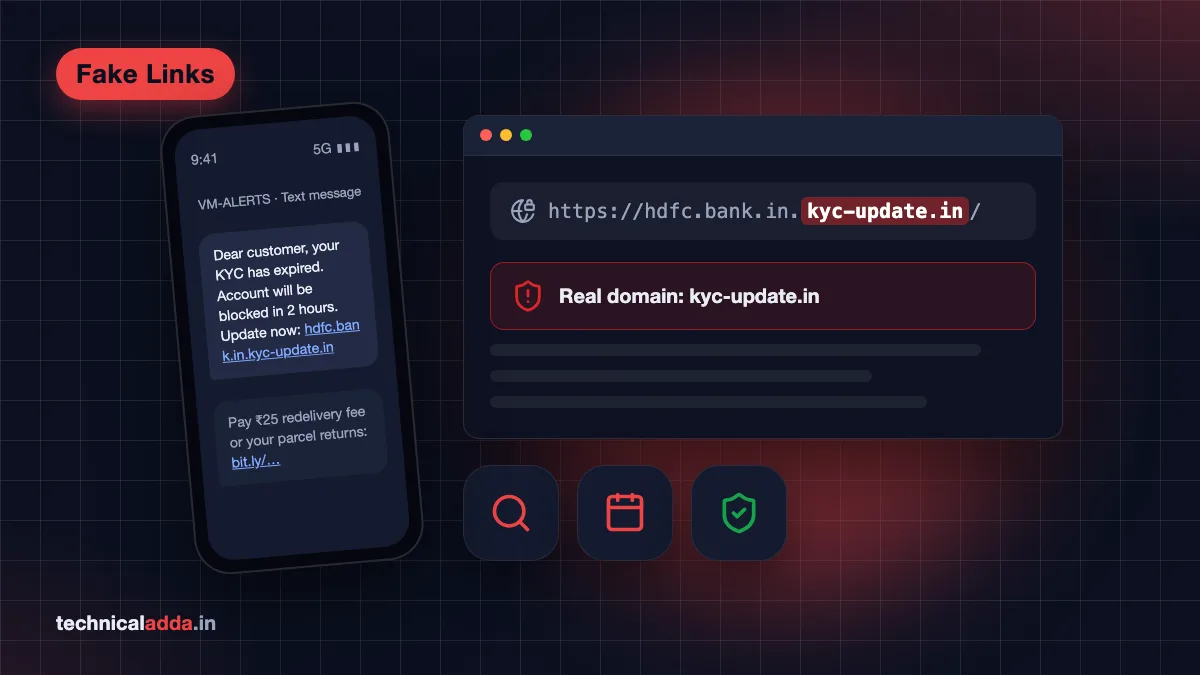
The domain is the part just before the first single / after https://. Read it from right to left:
https://www.hdfc.bank.in/: the domain ishdfc.bank.in. Genuine.https://hdfc.bank.in.kyc-update.in/: the real domain is kyc-update.in. Everything before it is just a subdomain the scammer chose. Fake.https://amazon.in.great-sale.shop/: the real domain is great-sale.shop. Fake.
This single trick catches most phishing links.
2. Look for spelling tricks and lookalike letters
Scammers register names that look right at a glance: arnazon (r+n looks like m), flipkarrt, paytrn, sbi-netbanking, hdfcbank-kyc, or swap .in for .co, .top, .xyz, .shop, .live or .online. Zoom in or copy the link into a notes app to read it letter by letter.
3. Check the extension against what the organisation really uses
Some Indian domains can only be registered by verified organisations, which makes them strong trust signals:
.gov.inand.nic.in: Indian government websites..bank.in: reserved for RBI-regulated banks. The RBI asked banks to move their websites to.bank.inby 31 October 2025, and major banks have done so; for example, HDFC Bank now useshdfc.bank.in..fin.in: announced by the RBI in February 2025 for non-bank financial entities such as NBFCs and fintechs, with IDRBT as the registrar. Its rollout has trailed.bank.in, so many NBFCs still use older.comor.inaddresses. An NBFC link without.fin.inis not automatically fake, but a.fin.inaddress is a strong sign it is genuine.
So a "bank" link ending in .com, .online or .xyz, or a "government scheme" site that does not end in .gov.in/.nic.in, deserves extra suspicion.
4. Do not trust the padlock (HTTPS myth)
HTTPS only means the connection between you and the site is encrypted. It does not mean the site is honest. Free certificates from Let's Encrypt and others are issued automatically within minutes, so most phishing sites have a valid padlock today. Chrome even replaced the padlock icon with a neutral "tune" icon partly because people misunderstood it. Treat "no HTTPS" as a red flag, but never treat HTTPS as proof of safety.
5. Check the domain age with WHOIS
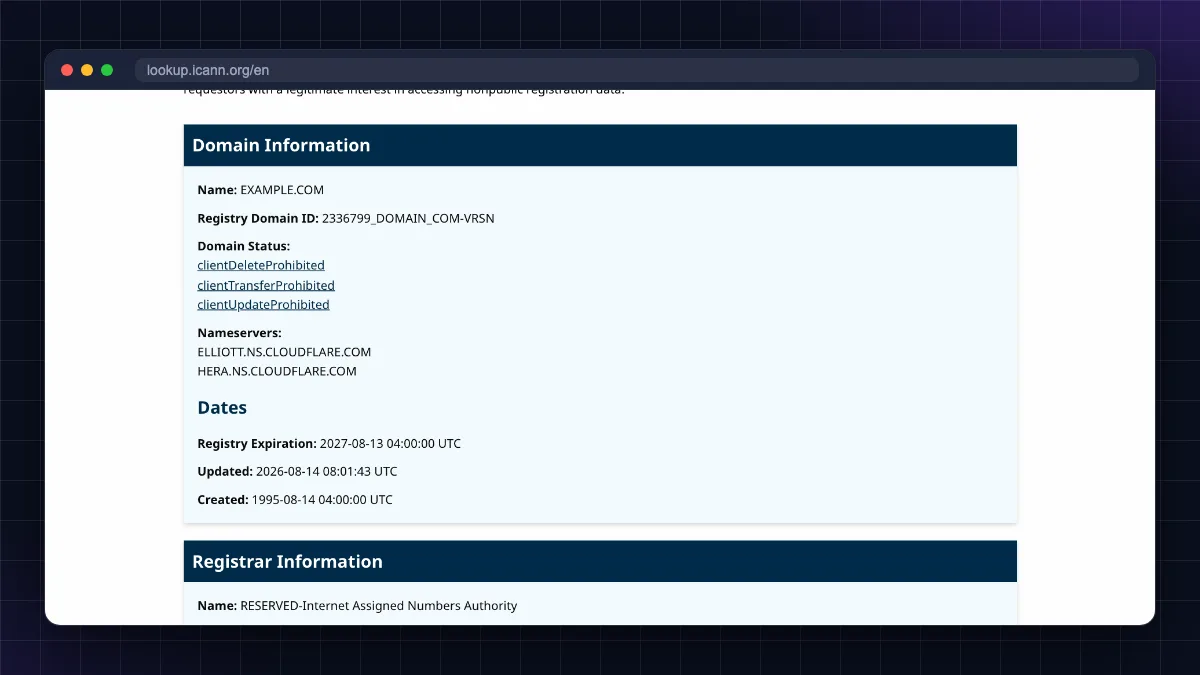
Real brands have domains that are many years old. Scam domains are usually days or weeks old because they get blocked quickly. Search the domain on ICANN Lookup (opens in new tab) or any WHOIS tool and look at the creation date (registered on).
- Created in the last few weeks + asking for payment or login = very likely fake.
- An old domain is not automatically safe (hacked sites exist), but a brand-new one selling "iPhones at ₹9,999" is a scam.
6. Scan the link with Google Safe Browsing and VirusTotal
Paste the URL (do not click it) into:
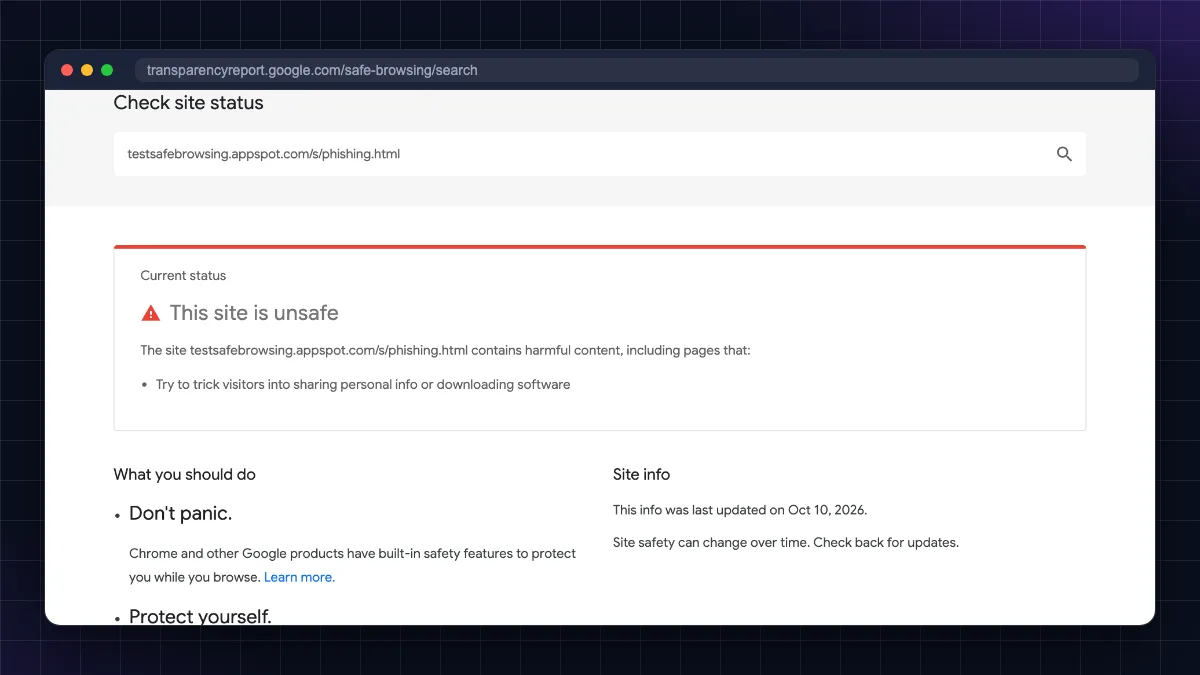
- Google Safe Browsing site status: Google's Transparency Report site checker (opens in new tab) shows if Google has flagged the site as phishing or malware.
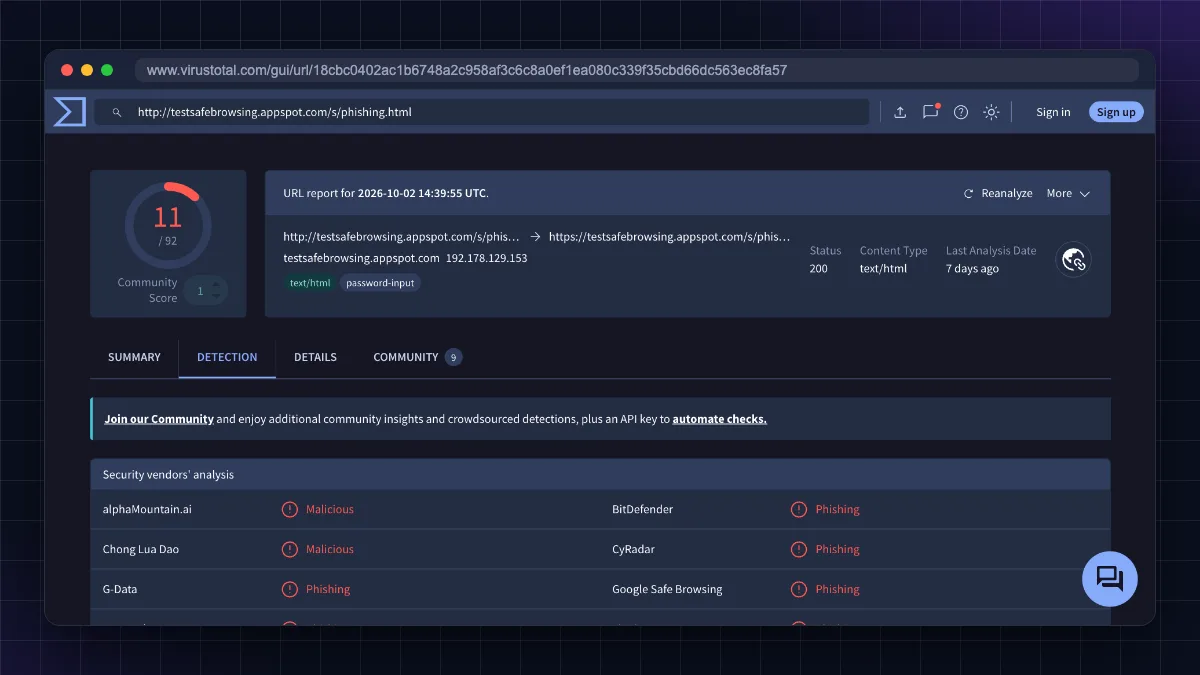
- VirusTotal: virustotal.com (opens in new tab) checks the URL against dozens of antivirus and security vendors. One or two flags may be false alarms; many flags means stay away.
A clean result does not guarantee safety, because brand-new scam sites may not be listed yet. Combine this with the domain-age check.
7. Check the trust score on ScamAdviser
ScamAdviser and similar sites give an automated trust score based on domain age, hosting, hidden ownership and user reviews. They are most useful for shopping sites. Read the user reviews section, not just the score.
8. Search the site name with "scam" or "review"
Google sitename.com scam, sitename review or sitename fraud. Also search Reddit, Twitter/X and consumer forums. If the shop launched last week and has zero independent reviews but hundreds of five-star reviews on its own site, walk away.
9. Look for contact details that actually work
Genuine Indian businesses show a registered address, a working customer care number, a GSTIN on invoices, and clear return and refund policies. Fake shops often have only a WhatsApp number or a Gmail address, a copied "About us" page and policies that mention another country.
10. Watch for pressure, fear and too-good-to-be-true offers
Scam pages are built to stop you thinking:
- "Your account will be blocked in 2 hours."
- "Pay ₹25 redelivery fee or your parcel returns."
- "Only 3 left at 85% off. COD not available."
- "You have won a prize, pay processing fee."
Real banks, couriers and government departments do not threaten you over SMS links.
11. Never enter OTP, UPI PIN, card details or passwords from a link
No genuine bank, courier or government body asks you to enter your UPI PIN to receive money, or your OTP to "verify KYC". If a page asks for these after you came from an SMS or WhatsApp link, close it. Open the official app or type the official website address yourself instead.
12. Check the app or APK it wants you to install
A rising scam in India sends an .apk file (e.g. "RTO challan.apk", "SBI reward.apk", "wedding invite.apk") on WhatsApp. Installing it can give scammers your SMS and OTPs. Install apps only from Google Play or the App Store, and never from a link or file in chat.
How to check if a link is safe without opening it
Most people ask how to check if a link is safe before clicking it, especially on a phone. Here is how:
- On Android: Long-press the link in Messages, WhatsApp or Gmail and choose Copy link. Paste it into a notes app to read the full URL, or paste it into VirusTotal.
- On iPhone: Long-press the link to see a preview with the full address at the top; tap outside to close without opening, or choose Copy Link.
- On a computer: Hover the mouse over the link and read the real URL in the bottom-left corner of the browser.
- Short links (bit.ly, tinyurl and others): These hide the real destination. Paste them into VirusTotal, which follows the redirect and shows the final URL.
- QR codes: Your camera app shows the link before opening it. Read it the same way as any other link.
If a message comes from an unknown number and contains a link, the safest choice is simply not to open it.
Free fake website checker tools compared
| Tool | Best for | What it shows | Cost |
|---|---|---|---|
| Google Safe Browsing site status (opens in new tab) | Quick phishing/malware check | Whether Google flags the site | Free |
| VirusTotal | Links from SMS, WhatsApp, email | Results from dozens of security engines, final URL after redirects | Free |
| ICANN Lookup / WHOIS | Spotting brand-new scam domains | Domain creation date, registrar | Free |
| ScamAdviser | Online shopping sites | Trust score, user reviews | Free |
| Chrome Enhanced protection | Automatic blocking while browsing | Warning page before loading flagged sites | Free (built into Chrome) |
| Sanchar Saathi (Chakshu) | Reporting suspicious calls/SMS/WhatsApp | Report submission | Free (government) |
Common fake website and link scams in India
Knowing the common stories helps you recognise a fake link in seconds.
Fake KYC update links
"Dear customer, your bank account/PAN/wallet KYC is expired. Update now or account will be blocked: [link]." The link opens a copy of the bank login page that steals your user ID, password and OTP. Banks do not block accounts through SMS links; update KYC only in the official app or branch.
Courier and India Post redelivery scams
"Your parcel is held due to incomplete address. Pay ₹25 to reschedule." The fake page looks like India Post, Blue Dart or DTDC and asks for card details. The small fee is bait; the real goal is your card and OTP.
Fake traffic e-challan
An SMS or WhatsApp says you have an unpaid traffic fine with a link or an APK. Real challans can be checked on the official Parivahan e-challan website, which is on a gov.in domain. Never install an app sent over WhatsApp to "pay a challan".
Electricity bill disconnection
"Your electricity will be disconnected tonight at 9:30 pm. Call this officer." This leads to a fake payment page or a screen-sharing app. Pay bills only in your electricity board's official app/website or a trusted UPI app.
Job and task scams
A message offers ₹3,000 to ₹10,000 a day for liking YouTube videos or rating hotels, then moves you to Telegram and a "task" website where you must deposit money to release earnings. The website shows fake profits; withdrawals never happen. Legit jobs never ask you to pay.
Fake shopping and social media stores
Instagram and Facebook ads show branded goods at huge discounts, often with "prepaid only". The site is days old, has no real contact details and disappears after collecting orders. Check the domain age and reviews before paying, and prefer cash on delivery or a well-known marketplace.
Fake customer care numbers and refund links
Searching "XYZ customer care" can show fake numbers in ads or listings. The "agent" sends a refund link or asks you to install a screen-sharing app, then empties your account. Take helpline numbers only from the official app or website.
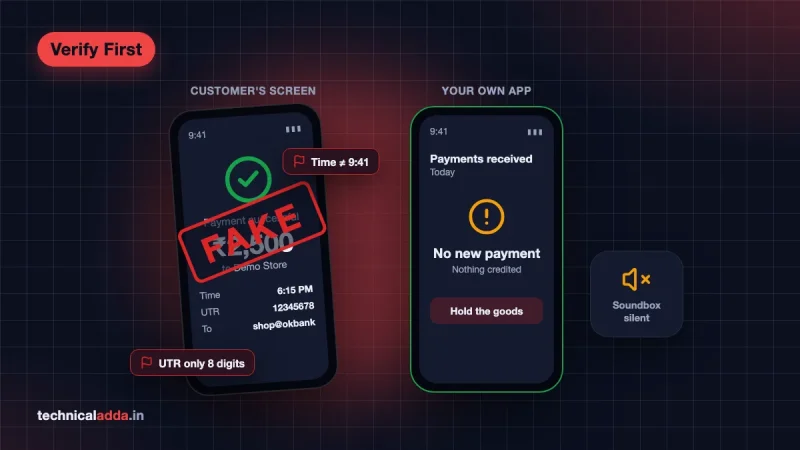
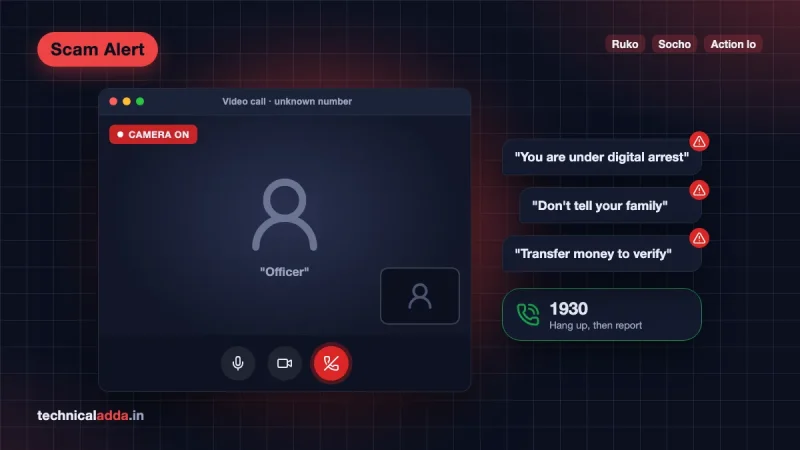
Related scams also use fake payment screenshots and fake police calls; see our guides on identifying a fake UPI payment screenshot and the digital arrest scam.
What to do if you opened a fake link or paid on a fake site
Act fast: the first hour matters most.
- Do not enter anything more. Close the page. If you only opened the link and typed nothing, the risk is usually low.
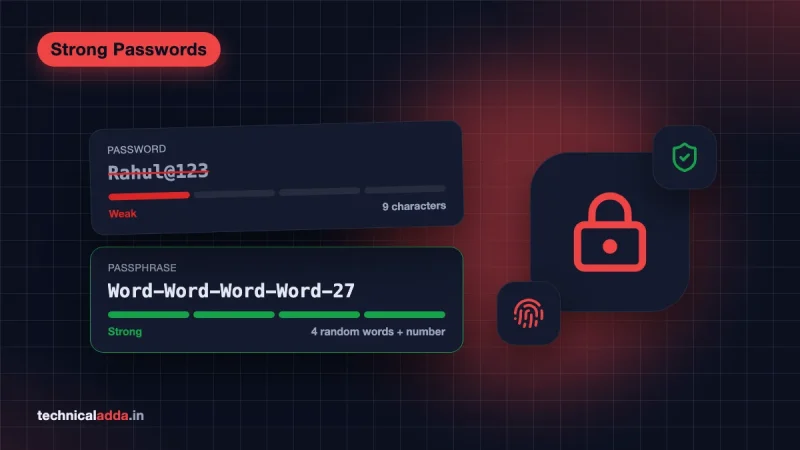
- If you entered a password, change it immediately from the official app or website, and turn on two-step verification. Use a strong, unique password (see our strong password examples).
- If you shared card details or OTP, call your bank's official helpline and block the card or netbanking at once.
- If money was taken, call 1930 (National Cyber Crime Helpline) immediately and file a complaint on cybercrime.gov.in. Quick reporting gives the best chance of freezing the money.
- If you installed an APK or screen-sharing app, turn on Airplane mode, uninstall the app, and check our guide on how to check if your phone is hacked.
How to report a fake website or link in India
Reporting helps block the site for everyone.
| Situation | Where to report | How |
|---|---|---|
| You lost money or were defrauded | National Cyber Crime Helpline 1930 and cybercrime.gov.in (opens in new tab) | Call 1930 first, then file under "Financial Fraud" |
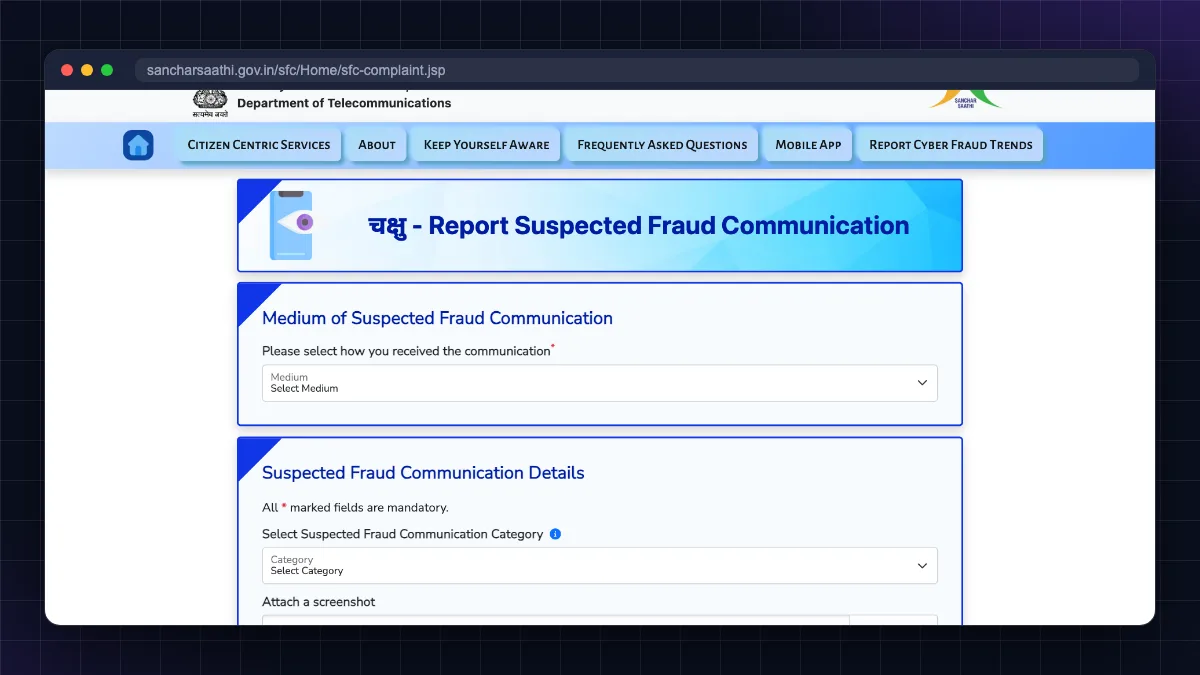
| You received a suspicious call, SMS or WhatsApp message (no money lost) | Chakshu on Sanchar Saathi (opens in new tab) | Choose medium (call/SMS/WhatsApp) and category, add details and optional screenshot |
| Phishing site misusing a bank's name | Your bank's official fraud reporting email/helpline | Share the link and screenshot |
| Phishing site in Google search or ads | Google's phishing report form | Paste the URL |
According to the Sanchar Saathi portal, Chakshu reports should be made within 30 days of receiving the message, and Chakshu is for suspected fraud communication. If you have already lost money, use 1930 or cybercrime.gov.in instead. For a full walkthrough of filing a complaint, read our guide on how to report cyber fraud online in India.
Tools that block fake sites automatically
Manual checks work, but tools catch what you miss when you are busy:
- Chrome Enhanced protection: In Chrome, go to Settings > Privacy and security > Security > Enhanced protection. It checks sites against Google's list of dangerous sites in real time. It is free; the trade-off is that more browsing data is sent to Google.
- A password manager: It autofills your bank or email password only on the real domain. If it does not offer to fill on a "bank" page, that is a strong warning sign. NordPass is one option with a free tier.. The free plan is enough for most people; skip it if you already use Google Password Manager or iCloud Keychain consistently.
- VPN/security suite with web filtering: Some VPNs, such as Surfshark, include ad, tracker and malicious-site blocking.. It's useful on public Wi-Fi and for extra blocking, but it is a paid product and not a replacement for the checks above; scammers still trick people through calls and screen-sharing.
- Spam call and SMS filters: Turn on spam protection in your phone app and Messages app. See how to block spam calls on Android.
The two-minute fake link check in six points
- Read the domain right to left: only the part just before the first single "/" counts.
- A padlock (HTTPS) proves nothing about honesty; a domain created last week is a major red flag.
- Scan unknown links on Google Safe Browsing or VirusTotal without clicking them.
- Banks use
.bank.inand government sites use.gov.in/.nic.in; be suspicious of anything else claiming to be them. - Never enter OTP, UPI PIN or card details on a page you reached from an SMS or WhatsApp link.
- Lost money? Call 1930 immediately. Suspicious message only? Report it on Sanchar Saathi Chakshu.
Check the domain first, and call 1930 if money is gone
Learning how to check if a website is fake takes two minutes and can save your savings. Read the real domain, ignore the padlock myth, check the domain's age, scan unknown links on Google Safe Browsing or VirusTotal, and never share OTP or UPI PIN from a link. If something has already gone wrong, call 1930 and report on cybercrime.gov.in without delay. Next, learn the step-by-step complaint process in our guide on how to report cyber fraud online in India, or read more safety guides in our Cyber Safety section.
FAQ
Frequently Asked Questions
How can I check if a website is real or fake?
Check the exact domain name for spelling tricks, look up its creation date on a WHOIS tool, and scan it on Google Safe Browsing or VirusTotal. Then look for real contact details, independent reviews and sensible prices. A new domain, urgent warnings, huge discounts or requests for OTP or card details are strong signs the website is fake.
How do I check if a link is safe without opening it?
Long-press the link on your phone and copy it (or hover over it on a computer) to read the full address without opening it. Then paste it into VirusTotal or Google's Safe Browsing site status page. VirusTotal also follows short links like bit.ly to reveal the final destination. If the sender is unknown, simply do not open it.
Is a website with HTTPS and a padlock always safe?
No. HTTPS only encrypts the connection between your browser and the site; it says nothing about who runs the site. Free SSL certificates are issued automatically within minutes, so most phishing websites today show a padlock. Treat a missing padlock as a red flag, but never treat the padlock as proof that a website is genuine.
What is the best free fake website checker?
There is no single perfect checker, so use two together. Google Safe Browsing site status and VirusTotal are the best free tools for spotting known phishing and malware links, while a WHOIS lookup such as ICANN Lookup reveals brand-new domains. For shopping sites, ScamAdviser's trust score and user reviews add useful context.
How do I know if an online shopping website is legit in India?
A legit shopping site usually has an older domain, a registered business address, a working customer care number, GST invoices, clear return and refund policies, and independent reviews outside its own site. Be careful with very new sites, prepaid-only offers, prices far below market and contact through WhatsApp only. Prefer cash on delivery or established marketplaces when unsure.
What should I do if I clicked on a fake link?
If you only opened the link and entered nothing, close it and clear the tab; the risk is usually low. If you typed a password, change it from the official app and enable two-step verification. If you shared card details or OTP, block the card through your bank. If money was lost, call 1930 immediately and file a complaint on cybercrime.gov.in.
How do I report a fake website in India?
If you lost money, call the National Cyber Crime Helpline 1930 and file a complaint at cybercrime.gov.in under financial fraud. If you only received a suspicious link by call, SMS or WhatsApp, report it on the Chakshu section of the Sanchar Saathi portal within 30 days. You can also report phishing pages to Google and to the bank being impersonated.
Can opening a link hack my phone?
Simply opening a link rarely hacks an updated phone, but it can lead you to fake login pages, trigger downloads or push you to install malicious APK files. The real danger comes from entering details or installing apps. Keep your phone and browser updated, never install APKs from chat links and turn on Chrome's Enhanced protection.
Why do bank websites in India now end with .bank.in?
The RBI asked banks to move their websites to the .bank.in domain, with a deadline of 31 October 2025, to make fake bank websites easier to spot. Only RBI-regulated banks can register a .bank.in domain, so a site claiming to be your bank on .com, .online or another extension should be treated with suspicion.
How can I check the age of a website domain?
Use a WHOIS lookup tool such as ICANN Lookup. Enter the domain name and check the "created" or "registered on" date. Well-known brands usually have domains many years old, while scam domains are often only days or weeks old. Some country domains such as .in show limited owner details, but the creation date is normally visible.
Where to buy
-
Visit official site (opens in new tab)
NordPass
-
Visit official site (opens in new tab)
Surfshark