AWS Free Tier Changed: New Accounts Get Up to $200 Credits for 6 Months
Web Hosting & Servers 15 min read By Sanjeev Pratap Singh
In this articleTable of contents13
Last updated: 10 October 2026
Every year thousands of Indian students and developers open an AWS account to "learn cloud for free", and a few weeks later some of them get a bill in rupees they did not expect. The AWS free tier is genuinely useful, but it changed in a big way in July 2025, and most old YouTube tutorials still describe the previous system. This guide explains the current model in plain English: what you get, how sign-up works with an Indian card and PAN, how to launch a free server in the Mumbai region, how to set alerts so you never pay by mistake, and how to close the account when you are done.
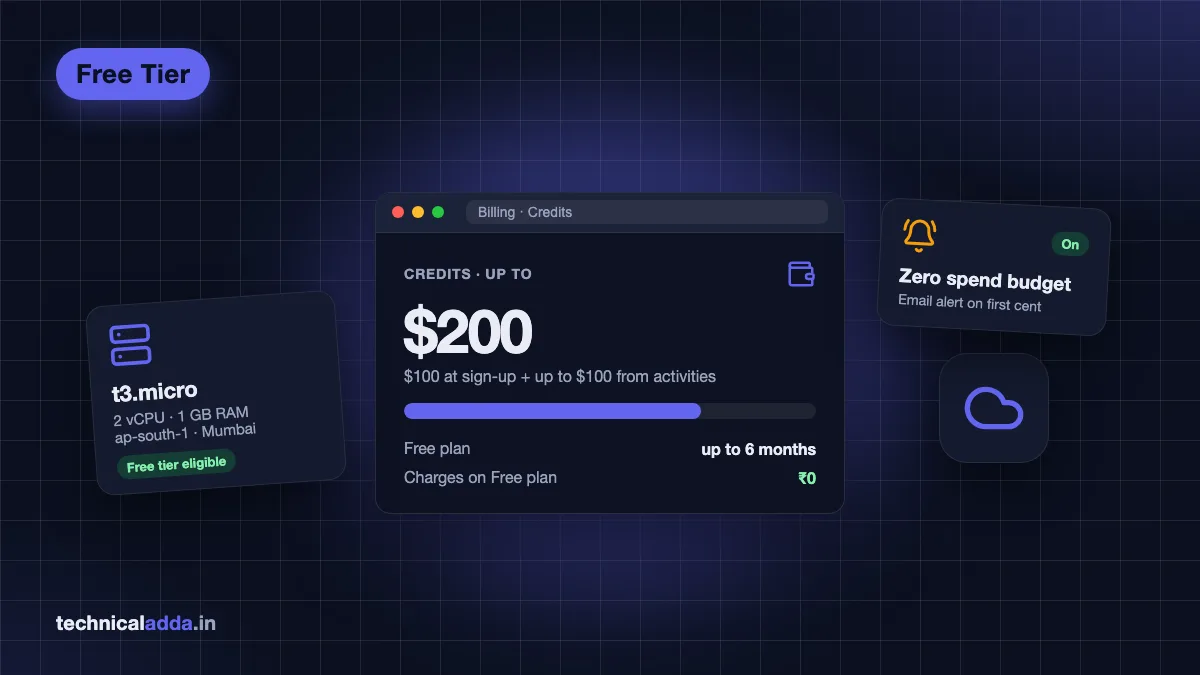
Quick answer: AWS accounts created on or after 15 July 2025 get a Free plan with USD 100 in credits, plus up to USD 100 more for completing activities, valid for up to 6 months or until credits run out. You are not charged on the Free plan. Older accounts follow the previous 12-month free tier with monthly usage limits.
What is the AWS free tier now?
AWS (Amazon Web Services) is Amazon's cloud platform. You rent servers, storage, databases and AI services by the hour or by the request. The free tier is AWS's way of letting you try these services without paying.
Since 15 July 2025, new accounts no longer get the famous "12 months free" deal. Instead, at sign-up you choose between two account plans:
- Free account plan: you get credits, you cannot be charged, and the account lasts up to 6 months.
- Paid account plan: you get the same credits, but once they are used up you pay normal pay-as-you-go prices.
According to the official AWS Free Tier page (opens in new tab), every new customer gets USD 100 in credits at sign-up and can earn up to USD 100 more by finishing short learning activities in the console. Both plans also include more than 30 "always free" services with monthly limits.
If your account was created before 15 July 2025, you are still on the older free tier: 12 months of limited free usage from the date you opened the account, with normal billing for anything above the limits.
Free plan vs paid plan vs legacy free tier
This is the single most confusing part of the AWS free tier, so here is the difference side by side (as of October 2026).
| Feature | Free account plan (new) | Paid account plan (new) | Legacy free tier (accounts before 15 Jul 2025) |
|---|---|---|---|
| Sign-up credits | USD 100 + up to USD 100 earned | USD 100 + up to USD 100 earned | None |
| Duration | Up to 6 months or until credits end | Credits expire; account continues | 12 months from account creation |
| Can you be charged? | No, unless you upgrade | Yes, after credits | Yes, above free limits |
| Service access | Selected services only | All AWS services | All AWS services |
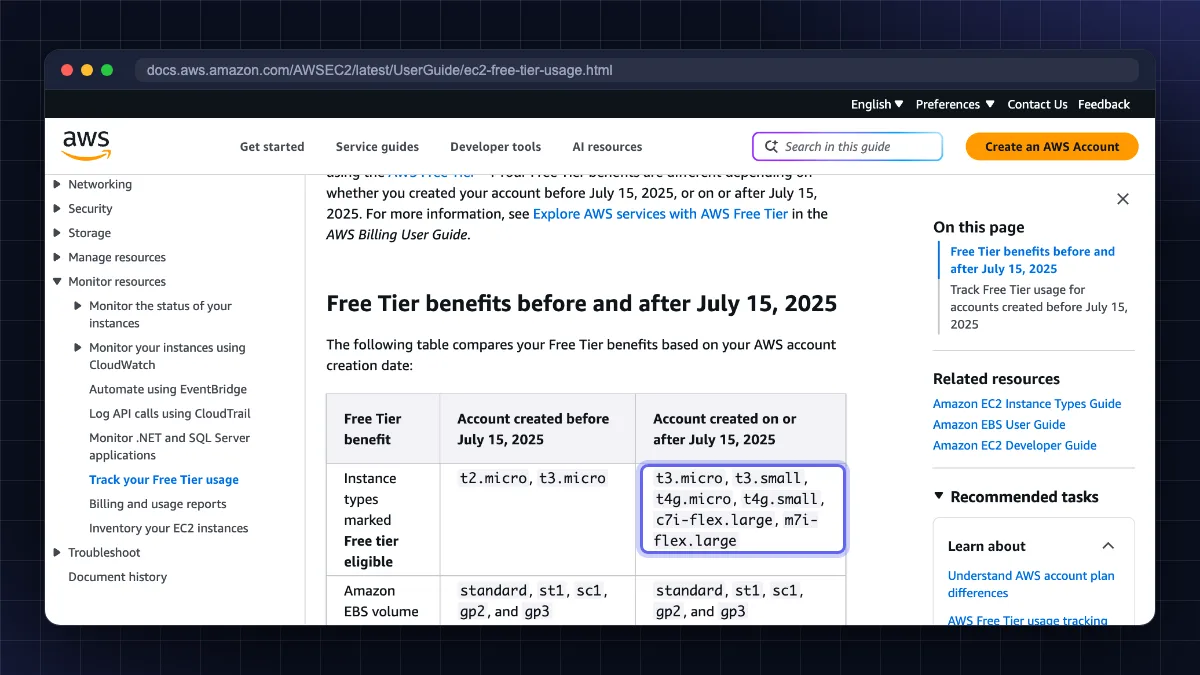
| Free EC2 types | t3.micro, t3.small, t4g.micro, t4g.small, c7i-flex.large, m7i-flex.large | Same | t2.micro, t3.micro (750 hrs/month) |
| What happens at the end | Account suspended, 90 days to upgrade | Pay-as-you-go continues | Pay-as-you-go continues |
| Best for | Students, learning, testing | Real projects, startups | Existing users |
Instance types come from the Amazon EC2 free tier documentation (opens in new tab). AWS updates this list from time to time, so always look for the "Free tier eligible" label in the console.
Which plan should you choose? If you are learning, choose the Free plan. It is the only option where AWS promises you will not be charged. Choose the Paid plan only if you are building something that must keep running after six months and you understand AWS pricing.
What is actually free on AWS
"Free" on AWS means three different things. Knowing them saves you from most billing surprises.
1. Credits (the main benefit for new accounts)
Your USD 100 to 200 in credits are spent automatically on eligible usage. A small t3.micro server, an RDS test database or a few Bedrock AI prompts all draw from this balance. When the balance hits zero on the Free plan, the plan ends.
The extra USD 100 comes from activities shown in the Explore AWS widget on the console home page. As of October 2026, AWS lists five activities: launch an EC2 instance, try a model in the Amazon Bedrock playground, set up a cost budget in AWS Budgets, create a web app with AWS Lambda, and create an Amazon RDS database. Each completed activity earns USD 20 in credits (5 × USD 20 = USD 100), according to the AWS News Blog announcement (opens in new tab). Activities must be finished within 6 months of opening the account, and the credit can take up to 30 minutes to appear on the Credits page. Some of these use a little of your credit, but you earn more than you spend.
2. Always free services
These have a monthly allowance that never expires, on both plans. Popular examples:
- AWS Lambda: 1 million requests and 400,000 GB-seconds of compute per month.
- Amazon DynamoDB: 25 GB of storage.
- Amazon CloudWatch: 10 custom metrics and 10 alarms, 1 million API requests, 5 GB of log data (ingestion, archive storage and Logs Insights scans combined), and 3 dashboards (up to 50 metrics each) per month.
- Amazon SNS: a monthly allowance of free publishes and notification deliveries (check the Free Tier page for the current numbers).
- Amazon SQS: 1 million requests per month.
These limits are from each service's official pricing page as of October 2026; the AWS Free Tier page (opens in new tab) lists every always-free service.
3. Short-term trials
Some services offer a free trial that starts when you first use them. Paid plan accounts can have these active; Free plan accounts get always-free offers and credits.
What is NOT free
- Data transfer out to the internet beyond the free allowance.
- Public IPv4 addresses: AWS charges USD 0.005 per hour for every public IPv4 address, whether it is in use or idle (about USD 3.60 for a 30-day month), as of October 2026 per the Amazon VPC pricing page (opens in new tab). On the Free plan this comes out of credits; on a Paid plan it can quietly add up.
- NAT gateways, load balancers, large instances and GPU instances. These burn credits fast.
- Anything left running after you forget about it.
How to create an AWS free tier account in India
If your billing address is in India, your contract is with Amazon Web Services India Private Limited (AWS India), earlier called AISPL. You are billed in rupees and GST is added to chargeable usage. Here is the sign-up flow based on the AWS India account documentation (opens in new tab).
What you need:
- An email address you have not used for AWS before.
- A mobile number for OTP (Jio, Airtel, Vi and BSNL all work).
- A credit or debit card enabled for online transactions, with CVV. AWS India supports Visa, Mastercard, American Express and RuPay credit and debit cards, per the AWS India payments documentation (opens in new tab). (AWS is also gradually rolling out a simplified sign-up, launched in September 2026, where most new customers sign in with Google, GitHub, Apple or Amazon and do not need a card; if you see that option, the card step below may not appear.)
- An identity document for customer verification: PAN card, Voter ID or driving licence for personal accounts.
Steps:
- Open the AWS Free Tier page and choose Create free account.
- Enter your email and account name, verify the email code and set a strong root password.
- Choose Personal (for learning) or Business.
- Enter your contact details with your Indian address. The name must exactly match the name on your ID document.
- Choose the Free plan or Paid plan when asked.
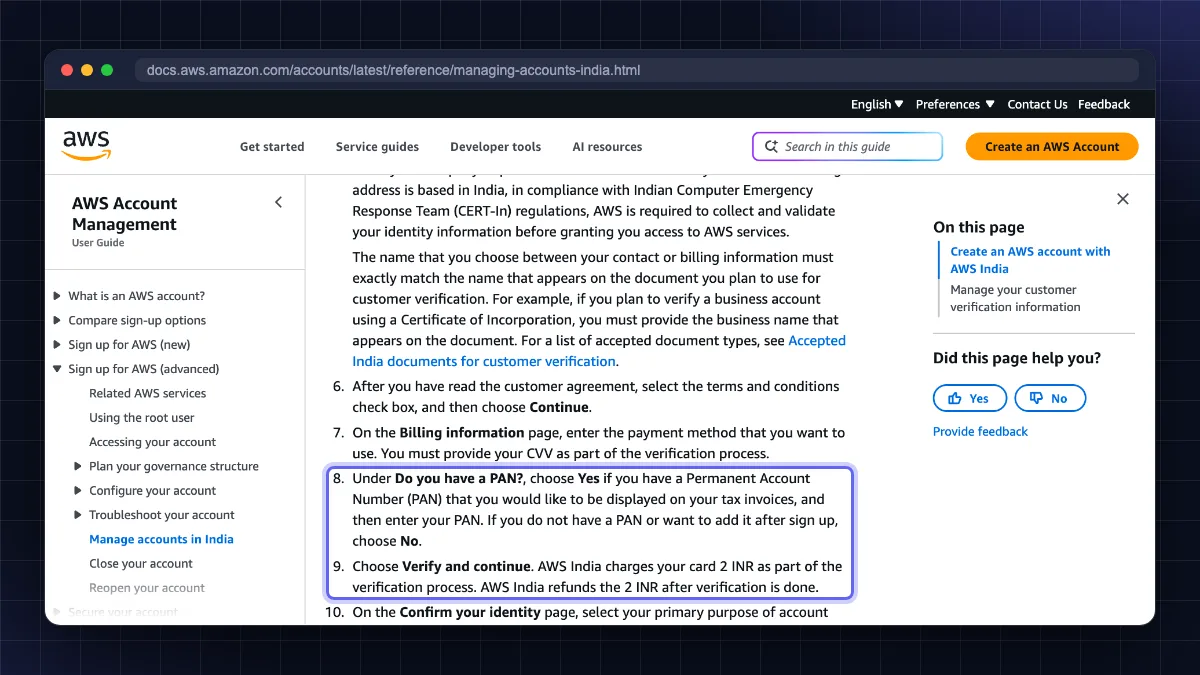
- On the billing page, enter your card and CVV. Under "Do you have a PAN?", enter it if you want it on tax invoices, or choose No and add it later. Add a GSTIN only if you are a registered business.
- Click Verify and continue. AWS India charges ₹2 to check the card and refunds it after verification. Your bank may show an OTP page.
- Complete customer verification (required under CERT-In rules): choose your purpose, ownership type and document, and enter the document details.
- Verify your phone by SMS or voice call and enter the 4-digit PIN.
- Select the free Basic support plan and finish sign-up.
Activation can take a few minutes to a few hours. You will get an email once both card and identity are verified.
Secure the account immediately: turn on MFA (multi-factor authentication) for the root user using Google Authenticator or a passkey, and create an IAM user or IAM Identity Center user for daily work. A leaked root password is the fastest way to a huge bill. Store the password in a password manager. See our strong password examples guide.
Launch a free EC2 instance in the Mumbai region
AWS has two regions in India: Asia Pacific (Mumbai), ap-south-1 and Asia Pacific (Hyderabad), ap-south-2. Mumbai has the most services and gives low latency for Indian visitors, so start there.
Step-by-step
- Sign in to the console, and in the top-right region menu select Asia Pacific (Mumbai).
- Search for EC2 and click Launch instance.
- Name: e.g.
learning-server. - AMI: choose Ubuntu Server 24.04 LTS marked "Free tier eligible".
- Instance type: pick t3.micro (2 vCPU, 1 GB RAM) or t4g.micro/t4g.small (ARM). Check the "Free tier eligible" label.
- Key pair: click Create new key pair, choose ED25519, and download the
.pemfile. Keep it safe; AWS will not show it again. - Network settings: allow SSH only from My IP, not "Anywhere". Tick HTTP/HTTPS only if you will host a website.
- Storage: the default 8 GB disk is enough for learning.
- Click Launch instance.
Connect to it
On Mac, Linux or Android (Termux), protect the key and connect:
chmod 400 ~/Downloads/learning-key.pem
This makes the key readable only by you, which SSH requires.
ssh -i ~/Downloads/learning-key.pem ubuntu@YOUR_PUBLIC_IP
This logs you in as the default ubuntu user.
On Windows 10/11, open PowerShell and run:
ssh -i $env:USERPROFILE\Downloads\learning-key.pem ubuntu@YOUR_PUBLIC_IP
Windows includes the OpenSSH client, so no extra software is needed. PuTTY users must convert the .pem to .ppk with PuTTYgen first.
For a full walkthrough on every device, read how to connect to a VPS using SSH. After you log in, follow our Ubuntu VPS initial server setup guide.
Important: "Stop" keeps the disk (which still uses credits for storage). "Terminate" deletes the instance completely. When you finish practising, terminate it.
Is Lightsail a better choice for beginners?
Amazon Lightsail is AWS's simple VPS product with fixed monthly prices. Instead of configuring networks and disks separately, you pick a bundle. As of October 2026 the Linux bundles with public IPv4 start at:
| Lightsail bundle | RAM | vCPU | SSD | Transfer |
|---|---|---|---|---|
| USD 5/month | 512 MB | 2 | 20 GB | 1 TB |
| USD 7/month | 1 GB | 2 | 40 GB | 2 TB |
| USD 12/month | 2 GB | 2 | 60 GB | 3 TB |
Source: Lightsail pricing (opens in new tab). Note that Mumbai bundles include half the standard data transfer allowance. Lightsail's old three-months-free trial is no longer available to new customers: the Lightsail billing FAQ (opens in new tab) says it has been replaced by the AWS Free Tier credits, so a Lightsail bundle is now paid from your USD 100 to 200 credit balance. AWS's own list of Free Tier services for its new sign-up experience (opens in new tab) includes Lightsail. If the Lightsail console asks you to upgrade on your Free plan account, check the AWS Free Tier page (opens in new tab) for the services available on your plan.
Lightsail is easier, and the price is predictable. EC2 is more flexible and is what employers expect you to know. If your goal is a cheap always-on website, a regular VPS is usually better value. Compare options in our best VPS hosting in India guide.
How to avoid AWS charges: budgets and alerts
Even on the Free plan, set up alerts so you know how fast credits are going. On a Paid plan or legacy account, this is essential.
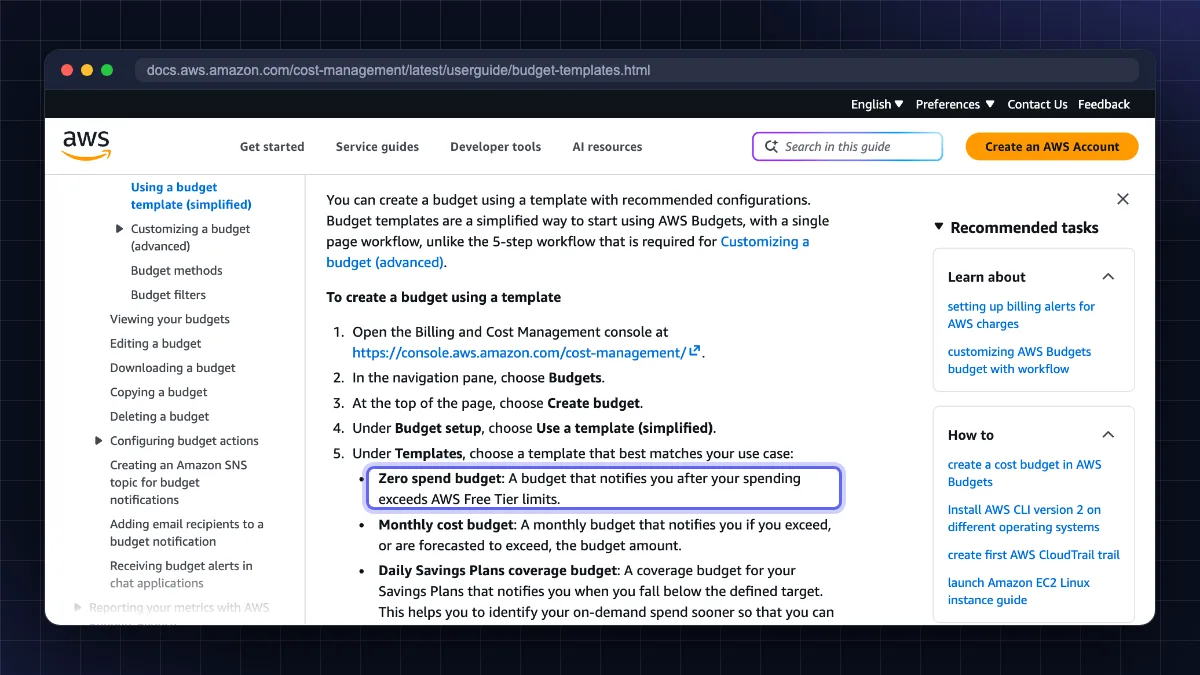
- Create a zero-spend budget. Open Billing and Cost Management → Budgets → Create budget → Use a template (simplified) → Zero spend budget, and enter your email. You get an email as soon as you spend even one cent beyond free limits.
- Create a monthly cost budget of, say, USD 5 with alerts at 50%, 80% and 100%.
- Turn on Free Tier usage alerts in Billing preferences (legacy accounts).
- Check the Cost and Usage widget on the console home for credit balance and days left.
- Use EC2 Global View to find forgotten instances in other regions.
Basic budgets are free: the AWS Budgets pricing page (opens in new tab) says monitoring and notifications cost nothing, and only extra action-enabled budgets and emailed reports are charged. Creating a budget is also one of the activities that earns credits.
What happens after the AWS free tier ends
Free plan accounts: the plan ends at 6 months or when credits run out, whichever comes first. AWS then suspends the account and you lose access to resources. AWS keeps your data for 90 days; if you upgrade to a Paid plan in that time, access returns. If you do nothing, the account and its content are permanently deleted. You are not billed.
Paid plan accounts: after credits run out, every resource is billed at normal rates in rupees with GST, charged to your card.
Legacy accounts (before July 2025): after 12 months, free tier limits disappear and running resources are billed. This is the classic "AWS free tier after 12 months" bill people search for. Terminate unused instances, delete EBS volumes and snapshots, and release Elastic IPs before the anniversary.
How to close your AWS account
If you no longer need AWS, closing the account is cleaner than leaving it idle.
- Back up anything you want to keep.
- Sign in as the root user (IAM users cannot close accounts).
- Click your account name (top right) → Account.
- Scroll down and click Close account.
- Type your account ID to confirm and click Close account.
You will get a confirmation email. As per the AWS account closure documentation (opens in new tab), you can reopen within a 90-day post-closure period; after that it is permanent. You still pay for any usage before closure, and the same email cannot be reused for a new AWS account, so change the root email first if you want to use it again. Cancel AWS Marketplace subscriptions and move any Route 53 domains before closing.
AWS free tier vs other free and cheap servers
| Option | Free period | Card needed | Indian data centre | Best for |
|---|---|---|---|---|
| AWS Free plan | Up to 6 months / USD 100 to 200 credits | Usually yes (₹2 check); not on the new simplified sign-up | Mumbai, Hyderabad | Learning AWS, cloud jobs |
| Oracle Cloud Always Free | No time limit (within limits) | Yes | Mumbai, Hyderabad | Long-running free VPS |
| Google Cloud free trial | 90 days credit | Yes | Mumbai, Delhi | Learning GCP |
| Budget VPS (Hostinger, Contabo) | Paid from a few hundred ₹/month | Yes / UPI | Varies | Real websites, n8n, bots |
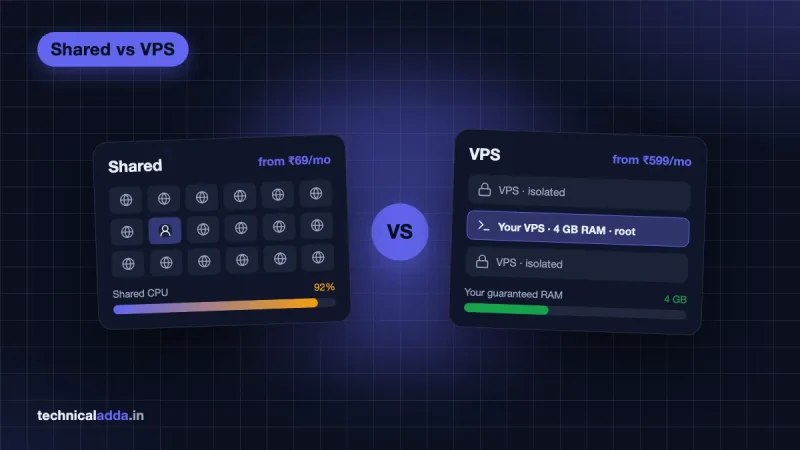
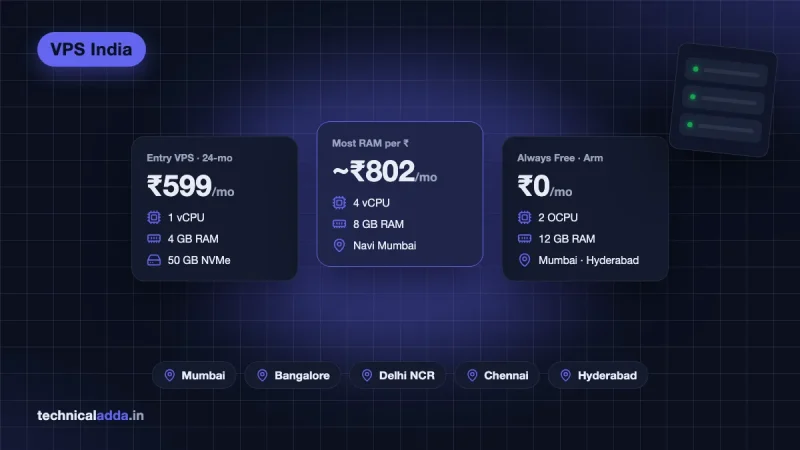
If you want a server that stays free for longer, read our Oracle Cloud free tier VPS guide. For a production website, a predictable monthly VPS is often simpler than AWS (India-friendly billing; Hostinger's India store accepts UPI and RuPay cards, per its payment methods page (opens in new tab)) or for more RAM per rupee. Do not buy a VPS if you only want to learn AWS for a certification. The free plan is enough.
Six rules that keep your AWS free tier bill at zero
- New AWS accounts (from 15 July 2025) get USD 100 credits plus up to USD 100 more, for up to 6 months on the Free plan.
- The Free plan cannot charge you; the Paid plan bills you once credits end.
- Indian sign-up goes through AWS India: a refunded ₹2 card check, optional PAN, and mandatory ID verification with PAN, Voter ID or driving licence.
- Use the Mumbai region, Ubuntu 24.04 and a free tier eligible t3.micro or t4g instance.
- Create a zero-spend budget on day one and terminate resources you no longer use.
- Close the account from the Account page; you have 90 days to change your mind.
Pick the Free plan now, decide on paid after six months
For learning, choose the Free plan: the AWS free tier is now credit-based, with USD 100 at sign-up, up to USD 100 more for learning activities, and up to six months to explore without being charged. For Indian users, sign-up is straightforward once your card, PAN and ID details match. Pick the Mumbai region, launch a small Ubuntu instance, set a zero-spend budget on day one, and terminate what you do not use. When you want a server that keeps running beyond six months, compare options in our best VPS hosting in India guide or browse more tutorials in Web Hosting & Servers.
FAQ
Frequently Asked Questions
Is AWS free tier really free?
Yes, if you stay on the Free account plan. AWS says Free plan accounts are not charged unless they upgrade to a Paid plan. You get USD 100 in credits plus up to USD 100 more, valid for up to six months. On a Paid plan or an older legacy account, anything beyond credits or free limits is billed to your card.
What is the AWS free tier for accounts in India?
Indian accounts get the same free tier as everyone else. New accounts from 15 July 2025 choose a Free or Paid plan with USD 100 to 200 in credits. The account is managed by AWS India, bills are in rupees with GST, and sign-up includes a ₹2 card verification charge that is refunded, plus identity verification with PAN, Voter ID or driving licence.
Can I use AWS free tier without a credit card?
It depends on the sign-up flow you see. The standard sign-up asks for a valid card with CVV, even for the Free plan, and AWS India charges ₹2 to verify it and refunds it. Visa, Mastercard, American Express and RuPay credit and debit cards are supported. AWS is gradually rolling out a simplified sign-up (from September 2026) where most new customers do not need a card, so you may see that option instead. If your card fails, enable international or online usage in your bank app and try again.
Which EC2 instance is free tier eligible?
For accounts created on or after 15 July 2025, AWS lists t3.micro, t3.small, t4g.micro, t4g.small, c7i-flex.large and m7i-flex.large as free tier eligible, paid from your credits. Older accounts get t2.micro or t3.micro for 750 hours a month. Always check the "Free tier eligible" label in the launch wizard.
What happens after the AWS free tier 12 months?
For accounts created before 15 July 2025, the free tier lasts 12 months. After that, any running EC2 instance, EBS volume, database or public IP is billed at normal pay-as-you-go rates. To avoid charges, terminate instances, delete volumes and snapshots, and release Elastic IPs before the 12-month date, or close the account.
How long does the AWS Free plan last?
The Free plan lasts up to six months from account creation or until your credits are used, whichever comes first. AWS emails you as the end approaches. After it ends, the account is suspended and data is kept for 90 days. Upgrade to a Paid plan within that window if you want to keep your resources.
Will AWS charge me automatically after the free plan ends?
No. A Free plan account is not converted to paid automatically. AWS suspends it when the plan ends and deletes it after 90 days unless you upgrade. Paid plan and legacy accounts are different: they continue running and charge your card for usage beyond credits or free limits.
Which AWS region is best for India?
Asia Pacific (Mumbai), code ap-south-1, is the best default for Indian users because it has the widest range of services and low latency across India. Asia Pacific (Hyderabad), ap-south-2, is newer and useful for disaster recovery. Free tier credits apply in both regions for eligible services.
How do I stop AWS from charging me?
Create a zero-spend budget and a small monthly budget in AWS Budgets, terminate unused EC2 instances, delete unattached EBS volumes and snapshots, release Elastic IPs, and check EC2 Global View for resources in other regions. If you no longer need AWS, close the account from the Account page as the root user.
Can I create a second AWS free tier account?
AWS free tier benefits are meant for new customers, and the same email address cannot be reused. Creating multiple accounts with fake details to get extra credits breaks AWS terms and can lead to suspension. If you need more time, upgrade to a Paid plan or use a different provider's free tier.
Where to buy
-
Visit official site (opens in new tab)
Hostinger
-
Visit official site (opens in new tab)
Contabo