Best Laptop for AI and ML Students in India: VRAM Beats CPU, 7 Picks (2026)
Smartphones & Gadgets 15 min read By Pragya Singh
In this articleTable of contents11
Last updated: 31 October 2026
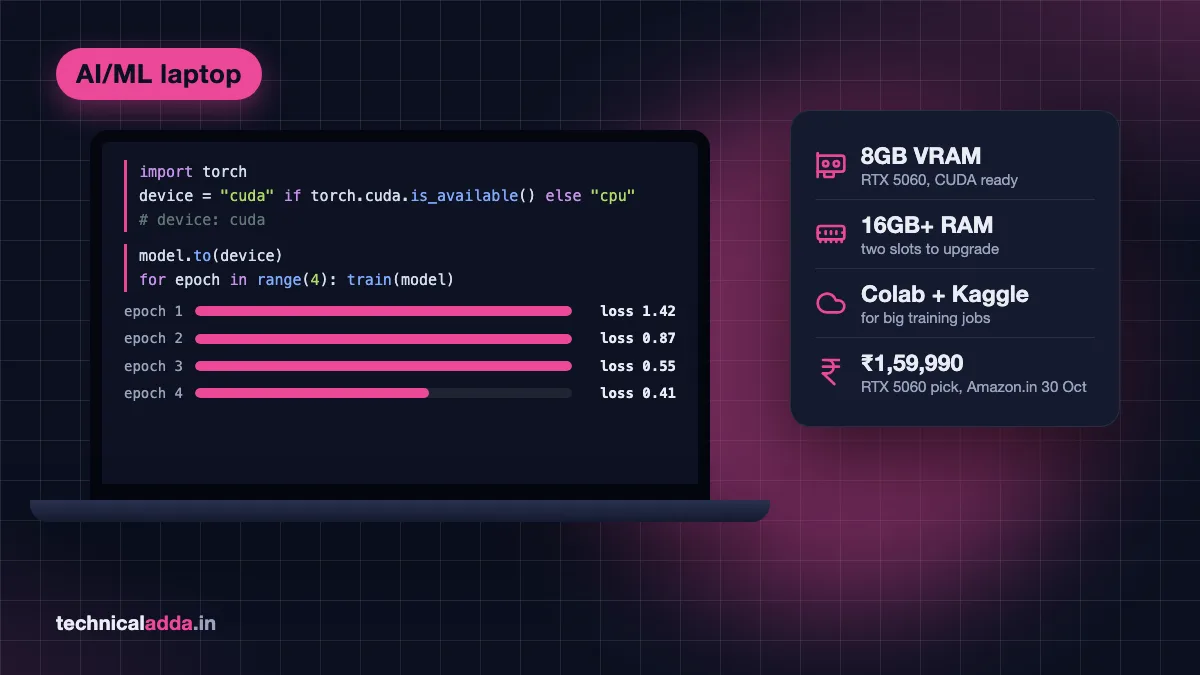
The best laptop for AI and ML students in India is a Windows laptop with an NVIDIA RTX GPU that has 8GB of VRAM, plus 16GB or more RAM and a 512GB SSD. The best value we found is the Lenovo LOQ 2025 (Ryzen 7 250, RTX 5060 8GB) at ₹1,59,990 on Amazon.in. Under ₹1 lakh, pick the MSI Katana 15 with a 6GB RTX 3050 at ₹96,650.
If you are in first or second year, you probably don't need a GPU yet. Free cloud GPUs cover coursework, and a regular 16GB laptop from our best laptop for BTech CSE students guide costs half as much. This guide is for students who have picked AI/ML and want to train models, run local LLMs or do projects on their own machine. Prices were checked on Amazon.in and Flipkart on 30 October 2026.
Quick answer: For AI and ML, buy a laptop with an NVIDIA RTX GPU (8GB VRAM ideal, 6GB minimum), 16GB RAM or more, a 6-core or better CPU and a 512GB SSD. Best value: Lenovo LOQ 2025 with RTX 5060 at ₹1,59,990. Under ₹1 lakh: MSI Katana 15 with RTX 3050 6GB at ₹96,650. On a tight budget, buy a 16GB laptop and use Colab or Kaggle.
Do AI and ML students need a GPU laptop?
Not always. It depends on your year and on how much you train models yourself.
- BTech AIML or CSE, years 1 and 2: No. Python, C, DSA, statistics and intro ML (scikit-learn, pandas) run on any modern CPU. Spend on 16GB RAM instead.
- Years 3 and 4, or an AI/ML specialisation: Yes, if you train neural networks for projects, Kaggle competitions or research. A local GPU saves you from Colab disconnects and session limits.
- MSc or MTech Data Science: Depends on the track. Analytics and BI work runs fine without a GPU; deep learning and computer vision benefit from one.
- Anyone who wants to run local LLMs: A GPU with 8GB VRAM makes 7B and 8B models fast enough for daily use.
Still choosing a direction? Our data science vs AI course comparison explains which path leans on GPUs more. The AI skills to learn in 2026 roadmap shows what you will actually build.

For AI and ML coursework, the GPU and its video memory matter more than the processor sticker.
What an ML student actually runs
Most marketing for "AI laptops" talks about NPUs and TOPS. For coursework, what matters is whether your tools can use an NVIDIA GPU and how much memory it has.
| Task | Runs well on | Minimum hardware |
|---|---|---|
| Python, NumPy, pandas, scikit-learn | CPU | 16GB RAM, any 6-core CPU |
| Jupyter notebooks with mid-size datasets (1 to 5 GB CSV) | CPU and RAM | 16GB RAM; 24GB is more comfortable |
| Small CNNs (MNIST, CIFAR-10), basic PyTorch or TensorFlow | GPU helps a lot | RTX with 4 to 6GB VRAM |
| Transfer learning (ResNet, BERT-base, YOLO) | GPU | RTX with 6 to 8GB VRAM |
| Running 7B to 8B LLMs locally | GPU | 8GB VRAM for full speed |
| Fine-tuning 7B+ LLMs, training big models | Cloud GPU | 16GB+ VRAM, not a laptop job |
The last row is the one many students get wrong. No student laptop fine-tunes big language models well. That work belongs on Colab, Kaggle or a rented GPU, and our self hosted LLM guide shows what renting one costs in rupees.
Laptop requirements for AI and ML
Here are the specs that matter, in order of importance.
| Spec | Minimum | Recommended | Why |
|---|---|---|---|
| GPU | NVIDIA RTX with 6GB VRAM | RTX 5060 or 5050 with 8GB VRAM | CUDA support; VRAM limits model size |
| RAM | 16GB | 24 to 32GB, upgradeable | Datasets load into RAM; Docker and IDEs need room |
| CPU | 6-core H or HX series | 8-core | Data loading, preprocessing, compiling |
| Storage | 512GB NVMe | 1TB NVMe | Datasets, model files, conda environments fill up fast |
| Display | Full HD IPS | 1920×1200 or higher, 144Hz is a bonus | Long hours of reading code and plots |
| Cooling | Dual fans | Good reviews for sustained load | Training runs keep the GPU at full load for hours |
VRAM is the number that matters most
VRAM (video memory) decides what fits on the GPU. A model that doesn't fit spills into system RAM and slows down dramatically. Use this as a guide:
| VRAM | Typical GPU in 2026 laptops | What fits |
|---|---|---|
| 4GB | RTX 3050 (4GB version) | Small CNNs, tiny LLMs (1B to 3B) |
| 6GB | RTX 3050 6GB, RTX 4050 | Transfer learning, 4B LLMs fully on GPU |
| 8GB | RTX 5050, RTX 5060 | 8B LLMs fully on GPU, most student projects |
| 12GB | RTX 5070 Ti | Larger vision models, 14B LLMs; costs ₹2,79,990 and up |
For reference, the qwen3:8b model in Ollama's library is a 5.2GB download and llama3.1:8b is 4.9GB, so both fit inside 8GB of VRAM with room for context. Our guide to run an LLM locally on a laptop covers which models fit at each memory size.
Same GPU name, different speed
A laptop RTX 5060 is not one fixed part. Each brand sets its power limit (TGP, in watts), and a low-wattage 5060 can be noticeably slower than a high-wattage one. Amazon and Flipkart listings rarely show TGP. Check the brand's spec sheet or a review before you pay, and prefer gaming-series laptops (LOQ, Victus, TUF, Katana, Omen) over thin "creator" models that cap GPU power.
RAM: 16GB to start, upgradeable matters
16GB is the floor. With a browser, VS Code, a Jupyter kernel holding a 3GB DataFrame and Docker running, 16GB fills up quickly. Prefer laptops with two SO-DIMM slots so you can add RAM later for much less than a factory upgrade. Laptops with soldered (LPDDR) memory can never be upgraded.
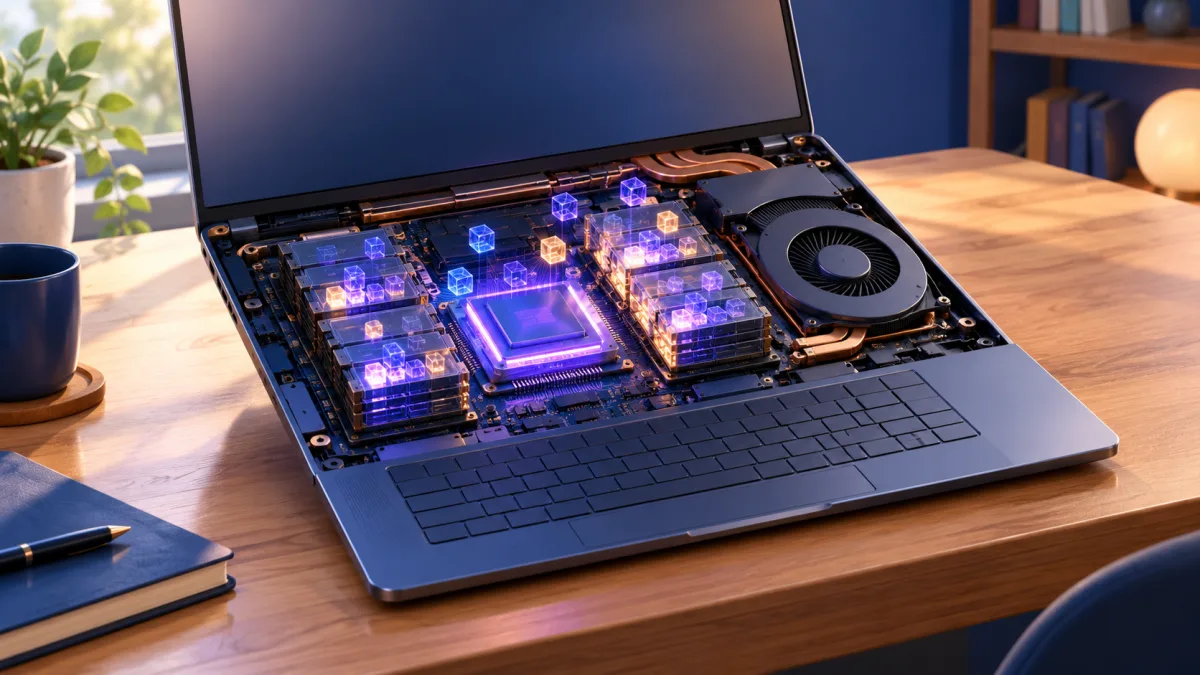
VRAM sits right next to the GPU chip, and its size decides how big a model you can train or run locally.
NVIDIA, Mac, AMD or Snapdragon for machine learning?
NVIDIA is the safe choice. Most ML courses, tutorials and libraries assume CUDA, NVIDIA's GPU computing platform. PyTorch and TensorFlow install with CUDA support in a few commands, and when something breaks, the fix is already on Stack Overflow.
- NVIDIA RTX (Windows or Linux): Best compatibility. PyTorch's install selector (opens in new tab) gives you a ready CUDA command for Windows and Linux.
- Apple MacBook (M-series): Very good for data science, notebooks and running local LLMs, because the unified memory is shared with the GPU. A 24GB MacBook Air M5 can load models that won't fit on an 8GB RTX card. PyTorch supports Apple GPUs through its MPS backend, but some CUDA-only libraries and course notebooks won't run as written. Battery life is far better than any RTX laptop.
- AMD Radeon laptops: AMD's ROCm support on laptops is limited. Skip them for ML coursework.
- Snapdragon (ARM) Windows laptops: Avoid for ML. Many Python packages and GPU toolkits target x86, and you get no CUDA at all.
Our take: buy NVIDIA unless you already prefer macOS and mostly work with data analysis and local LLMs. If your college course uses CUDA notebooks, a Mac adds friction every week.
Best laptop for AI and ML students in India: 7 picks
Prices below are selling prices seen on 30 October 2026 on Amazon.in, or on Flipkart where Amazon.in had no listing for that exact model. They include GST and are before bank and exchange offers. Gaming laptop prices move almost daily in sale season, so check the live price and the exact model code before buying.
| # | Laptop (model code) | GPU / RAM / SSD | Price | Store | Best for |
|---|---|---|---|---|---|
| 1 | Lenovo IdeaPad Slim 3 (15IRH10) | No GPU, Core i5-13420H / 24GB DDR5 / 1TB | ₹91,800 | Amazon.in | Cloud-first students, data science |
| 2 | MSI Katana 15 (B13UDXK) | RTX 3050 6GB, Core i5-13420H / 16GB DDR5 / 1TB | ₹96,650 | Amazon.in | Best under ₹1 lakh |
| 3 | Lenovo LOQ Essential (15ARP10E) | RTX 4050 6GB, Ryzen 7 7735HS / 16GB DDR5 / 512GB | ₹1,14,990 | Amazon.in | RTX 4050 with Lenovo service |
| 4 | HP Victus (15-fa2506TX) | RTX 4050 6GB, Core 5 210H / 24GB DDR5 / 512GB | ₹1,31,490 | Flipkart | More RAM for big datasets |
| 5 | Lenovo LOQ 2025 (15AHP10, RTX 5060) | RTX 5060 8GB, Ryzen 7 250 / 16GB DDR5 / 512GB | ₹1,59,990 | Amazon.in | Best value overall |
| 6 | HP HyperX Omen (15-ga0005TX) | RTX 5060 8GB, Core i7-14650HX / 24GB DDR5 / 1TB | ₹2,00,990 | Flipkart | Final-year projects, research |
| 7 | Apple MacBook Air M5 (24GB, 1TB) | Apple M5 GPU, unified memory / 24GB / 1TB | ₹1,88,890 | Amazon.in | macOS users, local LLMs, battery |
1. Lenovo IdeaPad Slim 3 (Core i5-13420H, 24GB, 1TB): cloud-first pick
No dedicated GPU, but 24GB RAM and a 1TB SSD at ₹91,800. That combination suits data science and analytics students who load big CSV files and do their GPU training on Colab or Kaggle. The 8-core H-series chip handles pandas and scikit-learn well, and the laptop is lighter and lasts longer on battery than any RTX model here.
- Pros: 24GB RAM, 1TB storage, light, good battery for college days.
- Cons: no CUDA, so deep learning stays in the cloud.
2. MSI Katana 15 (RTX 3050 6GB): best under ₹1 lakh
At ₹96,650, this is the cheapest laptop we found with a 6GB RTX GPU, 16GB DDR5 and a 1TB SSD. 6GB VRAM handles transfer learning on ResNet or BERT-base and runs 4B language models fully on the GPU. The 4GB RTX 3050 laptops sold for less, like the Acer ALG with a 4GB RTX 3050 (₹83,200 on Amazon.in), run out of VRAM much sooner.
- Pros: 6GB VRAM under ₹1 lakh, 1TB SSD, DDR5 RAM.
- Cons: RTX 3050 is an older, slower GPU; heavy and loud under load.
3. Lenovo LOQ Essential (Ryzen 7 7735HS, RTX 4050): RTX 4050 with DDR5
₹1,14,990 buys an 8-core Ryzen 7, DDR5 memory and an RTX 4050 with 6GB VRAM. The 4050 is a newer generation than the 3050 and quicker for training. The Acer Aspire 7 (A715-79G) with an RTX 4050 was ₹10,990 cheaper at ₹1,04,000 on Amazon.in on 30 October, but it uses older DDR4 RAM. Lenovo's service network across Indian cities is a real advantage if something fails in final year.
- Pros: newer GPU, 8-core CPU, wide service coverage.
- Cons: 16GB RAM and 512GB SSD will need upgrades for big projects.
4. HP Victus (Core 5 210H, RTX 4050, 24GB): more RAM for big datasets
₹1,31,490 on Flipkart for the same RTX 4050 class GPU with 24GB DDR5. The extra 8GB of RAM means you can keep a large DataFrame, a training script and a browser open without swapping. Choose it over pick 3 if you work with tabular data or several Docker containers.
- Pros: 24GB RAM out of the box, RTX 4050, 15.6-inch screen.
- Cons: 512GB SSD fills quickly with datasets; ₹16,500 more than pick 3.
5. Lenovo LOQ 2025 (Ryzen 7 250, RTX 5060 8GB): best value overall
This is the one most AI/ML students should buy. ₹1,59,990 gets an RTX 5060 with 8GB VRAM, enough to run 8B language models fully on the GPU and handle almost every student deep learning project. One warning: Amazon.in and Flipkart list an RTX 5050 version with the same name, same model code and the same ₹1,59,990 price. Open the listing and confirm "RTX 5060" in the specifications before paying.
- Pros: 8GB VRAM, current-generation GPU, Lenovo's service network.
- Cons: 16GB RAM and 512GB SSD are the first things to upgrade (check the spec sheet for a free RAM slot); gaming-laptop weight.
6. HP HyperX Omen (Core i7-14650HX, RTX 5060, 24GB, 1TB): for final-year projects
₹2,00,990 on Flipkart adds a 16-core HX-series Intel chip, 24GB RAM and a 1TB SSD to the same 8GB RTX 5060 tier. It is the pick for students doing serious final-year projects, research internships or Kaggle competitions, where CPU-side data loading and storage space also matter.
- Pros: strongest CPU here, 24GB RAM, 1TB SSD, no upgrades needed on day one.
- Cons: ₹41,000 more than pick 5 for the same VRAM; heavy charger.
7. Apple MacBook Air M5 (24GB, 1TB): for macOS users
₹1,88,890 on Amazon.in for 24GB unified memory and 1TB. Because the GPU shares all 24GB, this MacBook runs larger local LLMs than any 8GB RTX laptop, silently and on battery. The 16GB, 512GB version is ₹1,49,900 on Apple's India store, but for ML we'd only buy 24GB. Skip it if your course notebooks depend on CUDA.
- Pros: 24GB usable by the GPU, all-day battery, fanless and silent, stays usable for years.
- Cons: no CUDA, ₹28,900 more than pick 5, RAM can't be upgraded.
Want 12GB of VRAM? The cheapest RTX 5070 Ti laptop we saw, an ASUS ROG Strix G16, was ₹2,79,990 on Amazon.in. For that money, most students are better off with pick 5 plus cloud GPU credits for big jobs.
Budget under ₹60,000: the cloud-first plan
If ₹1 lakh is out of reach, don't buy a weak 4GB RTX laptop just to have "a GPU". Buy a good 16GB laptop and use free cloud GPUs for training. This is how many students get through AI/ML coursework.
- Pick a 16GB laptop. Our BTech CSE laptop guide has options from ₹43,219 with 16GB RAM and a 6-core CPU. The best laptop for programming guide covers more budgets.
- Use Google Colab for notebooks. The free tier gives GPU access when available, but Google's Colab FAQ (opens in new tab) says resources are not guaranteed and usage limits change.
- Use Kaggle for longer training. Kaggle Notebooks offer free GPU time with a weekly quota (users commonly see about 30 hours), shown in your account settings. Details are in Kaggle's notebook docs (opens in new tab).
- Save checkpoints often to Google Drive or Kaggle datasets, so a disconnect doesn't wipe hours of training.
- Grab student AI offers. Google's free one-year AI Plus plan for Indian college students includes 400 GB of storage for datasets (redeem by 31 December 2026); our guide to Gemini Pro free for students in India explains the student offers.
| Plan | Upfront cost | Good for | Main limit |
|---|---|---|---|
| 16GB laptop + Colab/Kaggle | From ₹43,219 (Flipkart) | Coursework, small projects | Session limits, needs internet |
| RTX 3050 6GB laptop | ₹96,650 | Learning PyTorch offline | 6GB VRAM, older GPU |
| RTX 5060 8GB laptop | ₹1,59,990 | Final-year projects, local LLMs | Weight, battery life |
Diwali sale checklist for an ML laptop
Diwali falls on 8 November 2026, and Amazon and Flipkart festive sales run in phases until then. Gaming laptop prices change by the day and by configuration, so use these checks:
- Confirm the exact GPU. Same-name listings hide RTX 5050 vs 5060, or 4GB vs 6GB RTX 3050. Read the specifications tab, not the title.
- Check the VRAM figure too. "8 GB Graphics" in the title is the VRAM figure you want.
- Look up the TGP on the brand's site or in reviews. A higher-wattage GPU trains faster.
- Check RAM slots. Two SO-DIMM slots mean you can go from 16GB to 32GB later at a fraction of the factory price.
- Compare the effective price. Bank instant discounts and exchange offers can matter more than the headline price, but check the card required and the minimum order value.
- Buy from the brand's authorised seller, keep the GST invoice and register the warranty on the brand website the day it arrives.
- Run a stress test inside the return window. Train a model or run a GPU benchmark for 30 minutes and watch temperatures and fan noise.

A 16GB laptop plus free Colab or Kaggle GPU time covers most early AI and ML coursework.
Set up your new laptop for ML
A good setup saves hours of driver trouble later.
- Update Windows and the NVIDIA driver from NVIDIA's app or the laptop brand's support site.
- Install WSL2 with Ubuntu (
wsl --installin an admin terminal) if your course uses Linux commands. NVIDIA GPUs work inside WSL2 with the Windows driver. - Install Python through Miniconda or uv, and create one environment per course or project.
- Install PyTorch with CUDA using the command from PyTorch's install selector, then check with
python -c "import torch; print(torch.cuda.is_available())". It should printTrue. - Install Ollama to run local LLMs on the GPU, and keep a self hosted LLM setup in mind when you need a model that stays online for a team project.
- Keep datasets on the SSD, not on an external hard drive, so data loading doesn't slow training.
Specs to write down before the Diwali sale
- Target spec: NVIDIA RTX GPU with 8GB VRAM, 16GB+ RAM, 512GB SSD.
- Best value: Lenovo LOQ 2025 with RTX 5060 (₹1,59,990). Under ₹1 lakh: MSI Katana 15 with a 6GB RTX 3050 (₹96,650).
- VRAM beats CPU speed: 6GB is the floor for deep learning; 8GB fits 8B LLMs fully on the GPU.
- Years 1 and 2: skip the GPU, buy 16GB RAM and train on Colab or Kaggle.
- Skip Snapdragon and AMD Radeon laptops; pick a Mac only if your course doesn't need CUDA.
- Read the GPU and VRAM in the specifications tab, never the listing title.
Buy for VRAM, not the AI PC sticker
The best laptop for AI and ML students in India is the one with enough VRAM for your projects, not the one with the flashiest "AI PC" sticker. For most students that means an RTX 5060 with 8GB, like the Lenovo LOQ 2025 at ₹1,59,990, or an RTX 3050 6GB laptop under ₹1 lakh if money is tight. In early years, a 16GB laptop plus Colab and Kaggle is the smarter spend.
Once your laptop arrives, set it up to run an LLM locally on your laptop and test your GPU on a real model. More buying guides live in our gadgets category.
FAQ
Frequently Asked Questions
Which laptop is best for AI and ML students in India?
A laptop with an NVIDIA RTX GPU with 8GB VRAM, 16GB or more RAM and a 512GB SSD. On 30 October 2026, the Lenovo LOQ 2025 with Ryzen 7 250 and RTX 5060 was the best value at ₹1,59,990 on Amazon.in. Under ₹1 lakh, the MSI Katana 15 with a 6GB RTX 3050 at ₹96,650 is the pick.
Do I need a GPU laptop for BTech AIML?
Not in first and second year. Python, statistics and classic machine learning with scikit-learn run on any modern CPU with 16GB RAM. A GPU becomes useful in third and fourth year when you train neural networks, do computer vision projects or run local LLMs. Until then, Google Colab and Kaggle give free GPU time.
How much VRAM do I need for machine learning?
6GB of VRAM is the practical minimum for deep learning on a laptop, enough for transfer learning with ResNet or BERT-base. 8GB is the sweet spot and runs 7B to 8B language models fully on the GPU. Training or fine-tuning large models needs 16GB or more, which means a cloud GPU rather than a laptop.
Is 16GB RAM enough for machine learning?
16GB is enough to start, but it fills up fast with large datasets, Jupyter, Docker and a browser open together. 24GB or 32GB is more comfortable for data science work. Buy a laptop with two RAM slots so you can upgrade from 16GB to 32GB later instead of paying for it upfront.
Is a MacBook good for machine learning students?
A MacBook with 24GB unified memory is good for data science, notebooks and running local LLMs, since the GPU can use all of that memory. PyTorch supports Apple GPUs through MPS. The catch is CUDA: many course notebooks and libraries assume an NVIDIA GPU, so a MacBook adds friction if your college course depends on CUDA.
Is the RTX 3050 good for deep learning?
The 6GB RTX 3050 is fine for learning PyTorch, small CNNs and transfer learning. The 4GB version runs out of memory quickly and isn't worth buying for ML. If your budget allows, an RTX 4050 is faster with the same 6GB, and an RTX 5060 with 8GB handles far more, including 8B language models.
Which is better for ML, RTX 4050 or RTX 5060?
The RTX 5060 is better for machine learning because it has 8GB of VRAM against the RTX 4050's 6GB, and it is a newer generation. That extra 2GB lets you fit larger batches and 8B language models fully on the GPU. On Amazon.in on 30 October 2026, the Lenovo LOQ 2025 with an RTX 5060 cost ₹45,000 more than the Lenovo LOQ Essential with an RTX 4050 (₹1,59,990 against ₹1,14,990).
Can I do machine learning on a laptop without a GPU?
Yes. Classic machine learning with scikit-learn, data analysis with pandas and small neural networks all run on a CPU. For deep learning, use free GPUs on Google Colab or Kaggle Notebooks and save checkpoints regularly. A 16GB laptop plus cloud GPUs is how many students finish AI/ML coursework without spending on an RTX laptop.
Should I buy an ML laptop in the Diwali sale?
Yes, if you've fixed the exact specs first. Gaming laptops often get bank discounts and exchange offers during the festive sales leading up to Diwali on 8 November 2026. Confirm the exact GPU and VRAM in the specifications tab, buy from an authorised seller, keep the GST invoice and stress-test the laptop within the return window.
Where to buy
-
Check price on Amazon (opens in new tab)
Lenovo IdeaPad Slim 3 (Core i5-13420H, 24GB, 1TB): cloud-first pick
-
Check price on Amazon (opens in new tab)
MSI Katana 15 (RTX 3050 6GB): best under ₹1 lakh
-
Check price on Amazon (opens in new tab)
Lenovo LOQ Essential (Ryzen 7 7735HS, RTX 4050): RTX 4050 with DDR5
-
Check price on Amazon (opens in new tab)
HP Victus (Core 5 210H, RTX 4050, 24GB): more RAM for big datasets
-
Check price on Amazon (opens in new tab)
Lenovo LOQ 2025 (Ryzen 7 250, RTX 5060 8GB): best value overall
-
Check price on Amazon (opens in new tab)
HP HyperX Omen (Core i7-14650HX, RTX 5060, 24GB, 1TB): for final-year projects
-
Check price on Amazon (opens in new tab)
Apple MacBook Air M5 (24GB, 1TB): for macOS users