Best Laptop for BTech CSE Students: 16GB Picks From $455 for Diwali (2026)
Smartphones & Gadgets 15 min read By Pragya Singh
In this articleTable of contents11
Last updated: 27 October 2026
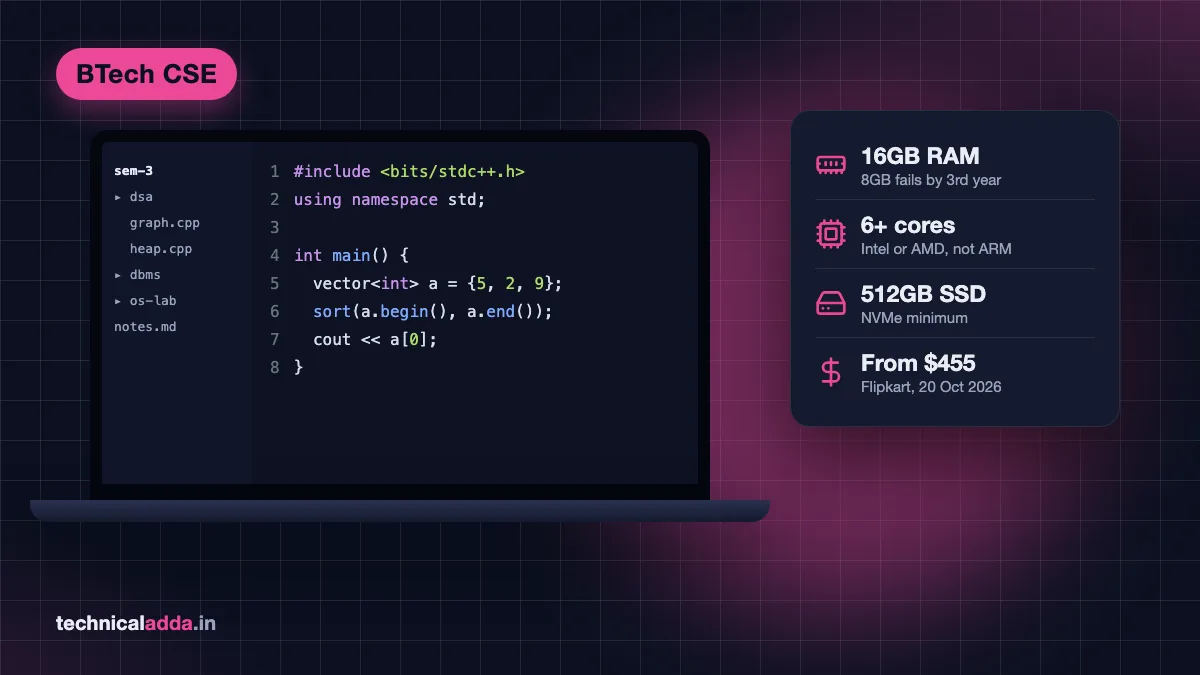
The best laptop for BTech CSE students is a Windows laptop with 16GB RAM, an Intel or AMD processor with 6 or more cores, and a 512GB SSD. Right now the best value is the MSI Modern 14 with a Ryzen 5 7530U and 16GB, listed at about $455 on Flipkart India. Skip 8GB models and Snapdragon (ARM) laptops.
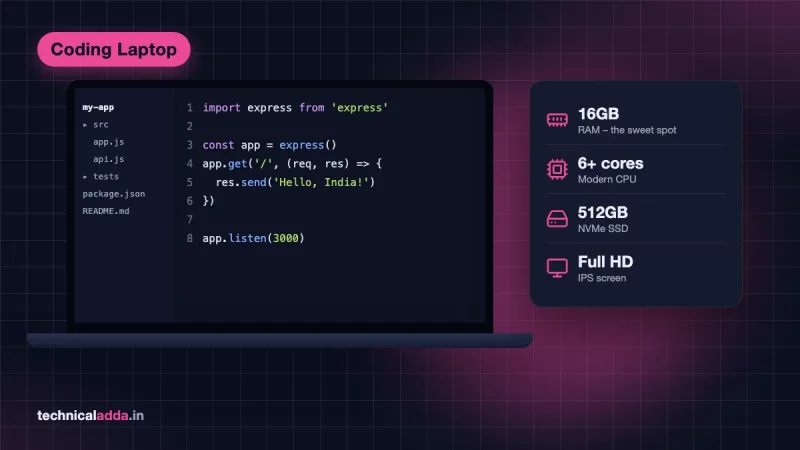
That spec list matters more than the brand, because a CSE laptop has to run a C compiler in first year and Android Studio, Docker and Python ML notebooks by third and fourth year. Below are the exact specs, seven picks with prices checked on 20 October 2026, and how to buy smart in the Diwali sales.
Quick answer: For BTech CSE, buy a laptop with 16GB RAM, a 6-core or better Intel Core i5/AMD Ryzen 5 (or newer), a 512GB NVMe SSD and a Full HD screen. Under ₹55,000 (about $580), pick the MSI Modern 14 (Ryzen 5 7530U) or Lenovo IdeaPad Slim 3 (Core i5-1235U). Add an RTX GPU only if you plan to specialise in AI/ML or game development.
Do you need a laptop in BTech CSE first year?
You can survive the first semester without one, but most CSE students need their own laptop by the second semester. First-year labs (C programming, basic Python, engineering graphics) use college computers, and the timetable is heavy on maths and physics.
The problem starts with practice. Coding skill comes from solving problems at night, in the hostel, on platforms like LeetCode, Codeforces and GeeksforGeeks. That needs a machine you control. By second year you will also install a database, a Linux environment and an IDE for Java or C++.
If money is tight, a reasonable plan is:
- Use the college lab and a phone for the first few months.
- Save and buy one good 16GB laptop in a festive or exam-break sale.
- Avoid a cheap 8GB "first-year" laptop that you replace in second year. Two laptops cost more than one right one.
What a CSE student runs in four years
Your laptop needs change every year, and the heaviest year decides the spec. This table maps a typical Indian BTech CSE syllabus to the software you will run.
| Year | Typical subjects | Software you'll run | RAM that feels comfortable |
|---|---|---|---|
| 1st | C programming, Python basics | VS Code, GCC, browser | 8GB works |
| 2nd | DSA (C++/Java), DBMS, OOP, OS | IntelliJ or Eclipse, MySQL, WSL/Ubuntu | 16GB |
| 3rd | Web dev, Android, computer networks, compilers | Node.js, React, Android Studio + emulator, Cisco Packet Tracer | 16GB |
| 4th | Machine learning, cloud, major project | Python + Jupyter, Docker, a database, many Chrome tabs | 16GB minimum, 32GB nice |
Google's own Android Studio requirements (opens in new tab) list 8GB RAM for the IDE alone, 16GB for the IDE with the emulator, and 32GB as recommended. That single line is why 8GB laptops fail CSE students in third year.
Minimum laptop specs for BTech CSE
These are the specs to insist on. Everything else (RGB keyboard, "AI PC" stickers, thin bezels) is optional.
| Part | Minimum | Better | Avoid |
|---|---|---|---|
| Processor | AMD Ryzen 5 7530U or Intel Core i5 12th Gen (6+ cores) | Core i5-13420H, Core 5 210H, Ryzen 5 220 or newer | Intel N100/N200, Celeron, Pentium, Core i3, Athlon |
| RAM | 16GB | 16GB with a free slot, or 24GB+ | 8GB soldered |
| Storage | 512GB NVMe SSD | 1TB, or a spare M.2 slot | Hard disk (HDD), 256GB |
| Display | 14 to 15.6 inch Full HD IPS | 16:10, 300+ nits | 1366×768 "HD" panels |
| Battery | 6+ hours real use | USB-C charging | Gaming laptops if you carry it daily |
| Weight | Under 1.8 kg | Under 1.5 kg | 2.3 kg+ for a hostel-to-class bag |
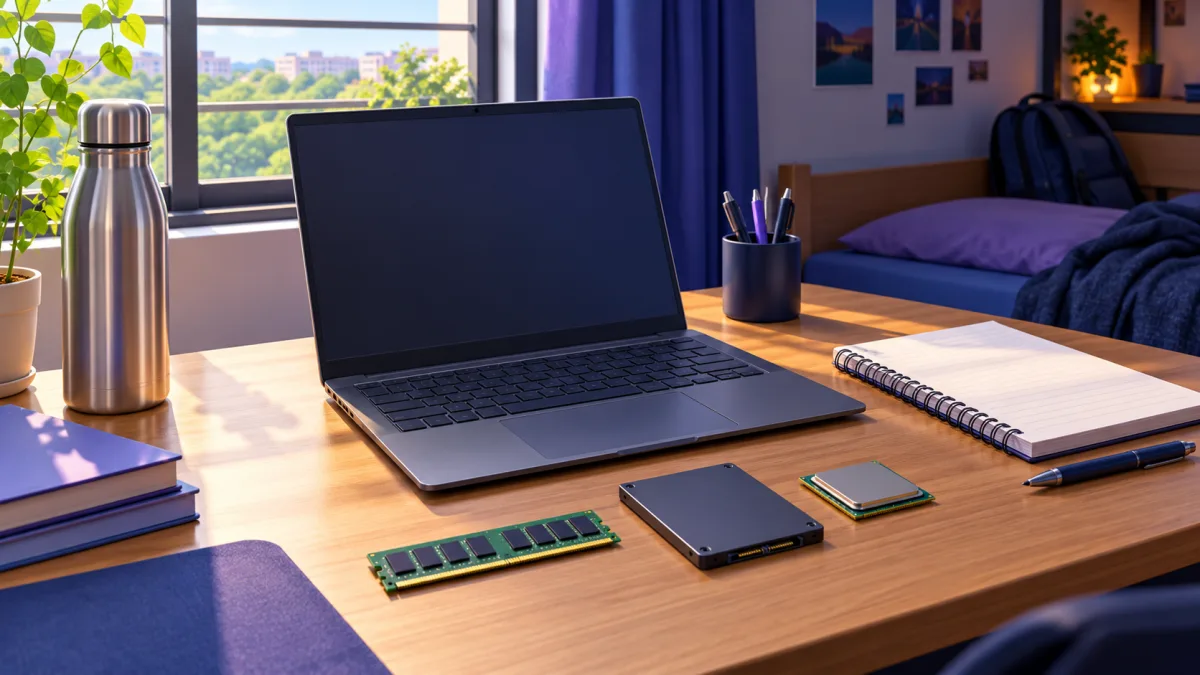
These three parts decide whether a laptop still feels fast in fourth year, so check them before the brand or the looks.
Read the full processor name
"Ryzen 5" on a listing tells you almost nothing. The Ryzen 5 7530U has 6 cores, while the Ryzen 5 7520U has 4 older cores, and both show up as "Ryzen 5" in the same price band. New short names like "Ryzen 5 40" or "Ryzen 3 30" hide the generation too. Search the exact model name and check the core count before paying.
Intel's naming is just as messy. The Core i5-1235U has 10 cores (2 performance, 8 efficiency), while the Core i5-13420H and Core 5 210H have 8 cores with 4 of them full-power performance cores. The "H" chips are faster for compiling and running emulators; the "U" chips last longer on battery.
Why 16GB RAM is not optional
A normal CSE evening looks like this: VS Code or IntelliJ, Chrome with 20 tabs of documentation and LeetCode, a MySQL server, WhatsApp Web and Spotify. That alone sits around 10 to 12GB. Add WSL or an Android emulator and an 8GB laptop starts freezing.
Check whether the RAM is soldered. LPDDR5 memory is always soldered and can never be upgraded, so buy 16GB on day one. DDR4 or DDR5 laptops with an SO-DIMM slot can be upgraded later, but RAM is expensive in 2026, so it rarely saves money.
Storage fills faster than you expect
Android Studio with SDKs and one emulator image takes tens of gigabytes. Add node_modules folders, Docker images, a Linux install and your semester PDFs, and 256GB is full by second year. Take 512GB as the floor.
Windows, MacBook or Linux for CSE?
Pick Windows on an Intel or AMD laptop unless you have a specific reason not to. It runs every college lab tool, including Cisco Packet Tracer, MATLAB and database clients. With WSL (opens in new tab) you also get a real Ubuntu terminal inside Windows for your OS lab and server work.
| Option | Good for | Problems for CSE students |
|---|---|---|
| Windows (Intel/AMD) | Every college software, gaming, Android, WSL Linux | Bloatware, battery life is average |
| Windows on Snapdragon (ARM) | Battery life | Android Studio does not support ARM Windows; some lab tools fail |
| MacBook | Battery, build, iOS development, Unix terminal | Price, 8GB on cheaper models, some Windows-only lab software |
| Linux (dual boot) | Learning OS, servers, DevOps | Some college software and exam tools need Windows |
Google's Android Studio page states that Windows machines with ARM-based CPUs aren't currently supported. Snapdragon X laptops with 16GB started at about $600 on Flipkart on 20 October, which looks like a bargain until your third-year Android project.
A MacBook is a fine choice if you want iOS development or simply prefer macOS, and it handles C, Java, Python and web work well. Just budget for 16GB, which pushes you to the MacBook Air.
Planning to learn Linux properly anyway? Our Linux commands for beginners guide works the same in WSL, a dual boot or on a Mac terminal.
Do CSE students need a graphics card?
Most don't. Programming, DSA, web development, databases and even Android development run on the CPU and RAM. A dedicated NVIDIA RTX card makes a real difference in only three cases:
- AI/ML specialisation where you train neural networks with CUDA locally.
- Game development in Unity or Unreal.
- Running local AI models. See our guide on how to run an LLM locally on a laptop to understand how much VRAM that needs.
The trade-off is real. RTX laptops are heavier, run shorter on battery and cost more: the Acer Aspire 7 with an RTX 3050 is about $385 more than the 16GB MSI Modern 14. Many students also use free cloud GPUs in Google Colab and Kaggle notebooks for ML coursework instead of carrying a gaming laptop every day.
If you are still choosing between data science and AI as a specialisation, read our data science vs AI course comparison first. It changes whether a GPU is worth the money.
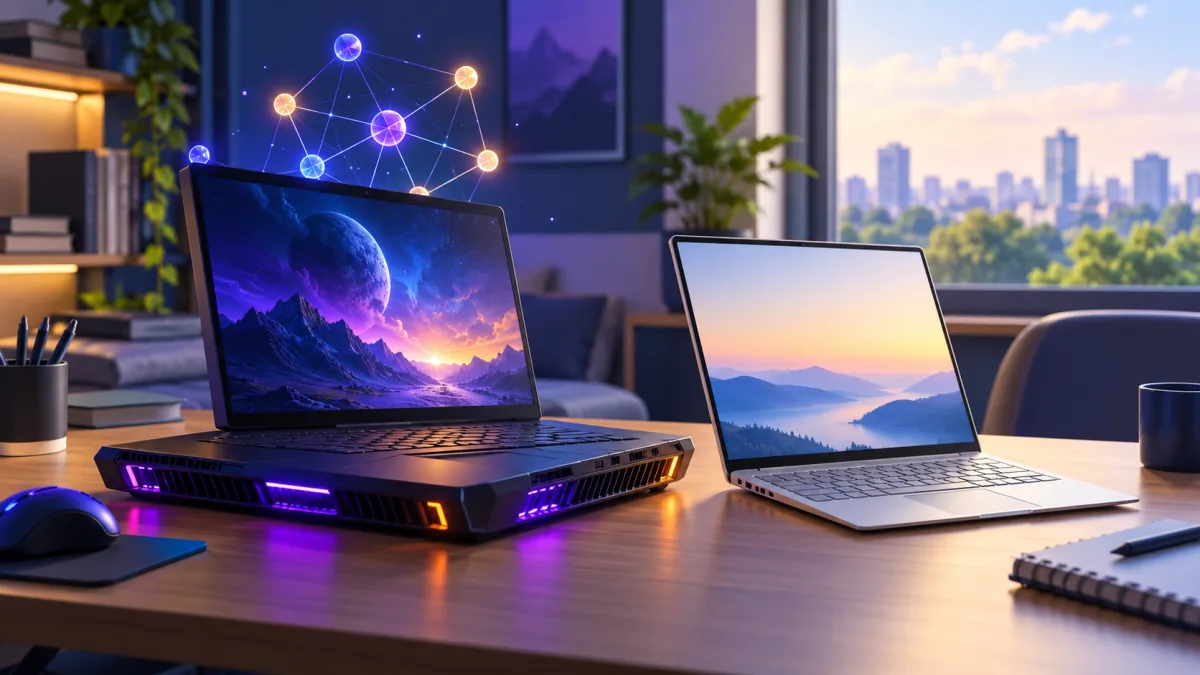
An RTX laptop adds GPU power for AI/ML and game development but weighs more and runs shorter on battery.
Best laptop for BTech CSE students: 7 picks by budget
All prices below are the selling prices shown on Flipkart (and Apple's India store where stated) on 20 October 2026, during the festive sale season, converted to US dollars at ₹95 per dollar. Laptop prices are moving fast this year because of the global memory shortage, so check the live price and the exact model code before you buy.
| # | Laptop | CPU / RAM / SSD | Price in USD (20 Oct 2026) | Best for |
|---|---|---|---|---|
| 1 | MSI Modern 14 (C7M-062IN) | Ryzen 5 7530U / 16GB DDR4 / 512GB | about $455 | Best value, most students |
| 2 | Lenovo IdeaPad Slim 3 (15IAU7) | Core i5-1235U / 16GB DDR4 / 512GB | about $545 | Service network, battery |
| 3 | Lenovo IdeaPad Slim 3 (i5-13420H) | Core i5-13420H / 16GB / 512GB | about $790 | Android and heavy projects |
| 4 | ASUS Vivobook S16 (2026) | Ryzen 5 220 / 16GB / 512GB | about $810 | Big screen, metal body |
| 5 | Apple MacBook Neo | A18 Pro / 8GB / 256GB | about $735 (Flipkart), $840 (Apple India) | Web and iOS beginners on macOS |
| 6 | Acer Aspire 7 (Core 5 210H) | Core 5 210H + RTX 3050 4GB / 16GB / 512GB | about $840 | AI/ML and game dev track |
| 7 | Apple MacBook Air M5 13-inch | M5 / 16GB / 512GB | about $1,470 (Flipkart), $1,580 (Apple India) | Premium, 4+ years, iOS |
What is the cost in Indian rupees? Flipkart prices on 20 October 2026 (GST included): MSI Modern 14 ₹43,219, IdeaPad Slim 3 i5-1235U ₹51,990, IdeaPad Slim 3 i5-13420H ₹74,990 (₹73,599 on Amazon.in), Vivobook S16 ₹76,990, MacBook Neo ₹69,900 (₹79,900 on Apple's India store), Acer Aspire 7 ₹79,990 and MacBook Air M5 ₹1,39,900 (₹1,49,900 on Apple's India store).
1. MSI Modern 14 (Ryzen 5 7530U, 16GB): best value
At about $455 this is the cheapest new laptop we found with both 16GB RAM and a 6-core processor. The Ryzen 5 7530U handles C++, Java, MySQL, WSL and a light Android emulator without fuss.
- Pros: 16GB at an entry price, 6 cores and 12 threads, 14-inch and easy to carry.
- Cons: basic display, plastic body; MSI has fewer service centres than Lenovo or HP in smaller towns.
- Watch out: Flipkart also lists 8GB versions (C7M-063IN) at almost the same price. Match the model code C7M-062IN.
2. Lenovo IdeaPad Slim 3 (Core i5-1235U, 16GB): safe all-rounder
About $545 for a 10-core 12th Gen Core i5, 16GB DDR4 and a 15.6-inch screen. Lenovo's service network across Indian cities is the main reason to pay nearly $95 more than the MSI.
- Pros: reliable, good keyboard, wide service coverage, solid battery for a U-series chip.
- Cons: 15.6-inch body is bulkier in a college bag; slower than the H-series model below.
3. Lenovo IdeaPad Slim 3 (Core i5-13420H, 16GB): the faster H-series option
About $240 more than pick 2 on 20 October, but the H-series chip compiles and runs emulators noticeably faster. Google's Android Studio requirements page also says Intel U-series processors are not recommended, so for a student who will do Android or heavy projects, this is the better buy if the budget stretches.
- Pros: 8-core H-series CPU, same Lenovo service network.
- Cons: check whether the RAM is soldered before you buy, because then 16GB is permanent; battery life is shorter than U-series laptops.
- Watch out: the IdeaPad Slim 3 name also sells with Ryzen 5 7520U, Ryzen 3 30 and Snapdragon X chips at similar prices. Match i5-13420H and 16GB in the listing title.
4. ASUS Vivobook S16 (Ryzen 5 220, 16GB DDR5): big screen and metal build
About $810 gets a 16-inch screen, a metal design and a 6-core Zen 4 processor. The larger screen helps when you keep code, documentation and a terminal side by side.
- Pros: 16-inch display, premium feel, modern CPU.
- Cons: costs about the same as the IdeaPad i5-13420H for similar coding speed; heavier than a 14-inch.
5. Apple MacBook Neo (A18 Pro, 8GB): only for macOS fans on a budget
Apple's India store lists the MacBook Neo at about $840 on its MacBook Neo buy page (opens in new tab), and some colours were about $735 on Flipkart on 20 October. Battery life and the display are excellent.
- Pros: silent, long battery life, macOS terminal, Xcode for iOS apps.
- Cons: 8GB RAM can never be upgraded and 256GB fills fast. Android emulator, Docker and big ML notebooks will struggle.
- Who should skip it: anyone planning Android development or an AI/ML specialisation.
6. Acer Aspire 7 (Core 5 210H, RTX 3050): for the AI/ML track
At about $840, this is one of the cheaper ways to get a CUDA-capable NVIDIA GPU with 16GB RAM and an 8-core H-series CPU. Choose it only if you are sure about ML or game development.
- Pros: RTX 3050 for CUDA and game engines, strong CPU, 16GB.
- Cons: only 4GB VRAM limits bigger deep learning models; heavier and shorter battery life than a thin laptop.
7. Apple MacBook Air M5 (16GB, 512GB): premium pick for four years and beyond
About $1,470 on Flipkart against an Apple India store price of about $1,580. This is the configuration to buy if you want a MacBook for CSE: 16GB and 512GB cover everything except CUDA-based ML.
- Pros: excellent performance per watt, all-day battery, build quality, long software support.
- Cons: price; no NVIDIA GPU; some Windows-only lab software needs workarounds.
Tight budget? Consider a refurbished ThinkPad
If about $455 is out of reach, a refurbished Lenovo ThinkPad T480s or T490 from a seller with a warranty is the next best route. Refurbished units usually cost far less than a new 16GB laptop, but many ship with 8GB. They have business-grade keyboards and usually one RAM slot you can fill later. Check the battery health and warranty terms before you pay.
For more options at each budget beyond students, see our best laptop for programming guide.
How to buy a laptop in the Diwali 2026 sales
Diwali falls on 8 November 2026, and Amazon and Flipkart festive sales run in phases through this period. Laptop prices change by the day, and even by colour: on 20 October Flipkart showed the same 256GB MacBook Neo at about $735 in some colours and about $840 in others. Waiting for a "better deal" can cost you.

Diwali sale prices change by the day and even by colour, so confirm the exact model code before you pay.
Follow these steps:
- Fix the spec first, then hunt the price. Write down: 16GB, 6+ cores, 512GB SSD, Full HD. Ignore any deal that misses one.
- Match the full model code (like C7M-062IN or 15IAU7), not just the name. Same names hide 8GB or older-chip versions.
- Compare the effective price. Bank card instant discounts and exchange offers can matter more than the headline price. Check which card the offer needs and the minimum order value.
- Check the seller and invoice. Buy from the brand's authorised seller and keep the GST invoice; you'll need it for warranty claims.
- Look at student offers. Apple runs education pricing in India through its education store, and some brands offer student discounts on their own websites.
- Register the warranty on the brand website on the day it arrives, and test every key, port and the webcam within the return window.
Mistakes BTech students make when buying a laptop
These are the mistakes we see most often in student forums and Quora threads about CSE laptops:
- Buying 8GB to save a few dollars. On 20 October the 8GB MSI Modern 14 was less than $5 cheaper than the 16GB one. 8GB works in first year and frustrates you from second year. Many 8GB laptops can't even be upgraded.
- Buying a gaming laptop "for coding". You pay for a GPU you won't use, carry 2.3 kg and charge it twice a day.
- Picking Snapdragon for battery life and then finding Android Studio unsupported.
- Trusting "i5" or "Ryzen 5" alone. A 4-core Ryzen 5 7520U and a 6-core 7530U are very different chips.
- Paying extra for bundled Office. Many colleges give students Microsoft 365 through their college email; ask your college IT cell first.
- Ignoring weight and charger size. You'll carry this laptop between hostel, class and library for four years.
By third year you'll want your projects online, not just on your laptop. Our guide to deploy a Node.js app shows how to put one on a server with your own domain.
The CSE laptop checklist to carry into the Diwali sale
- Spec floor: 16GB RAM, a 6+ core Intel or AMD CPU, a 512GB SSD and Windows.
- Best value on 20 October 2026: MSI Modern 14 (Ryzen 5 7530U, 16GB) at about $455. Need H-series speed for Android? The IdeaPad Slim 3 with Core i5-13420H was about $790.
- Skip 8GB laptops, Snapdragon (ARM) Windows laptops and Intel N-series chips.
- Pay for an RTX GPU only on an AI/ML or game development track; buy a MacBook only with 16GB.
- Match the exact model code and compare the price after bank offers, not the headline price.
Our pick for most CSE students: the 16GB MSI Modern 14
The best laptop for BTech CSE students is the one that still feels fast in fourth year: 16GB RAM, a 6-core or better Intel or AMD processor, a 512GB SSD and Windows. Under ₹55,000 (about $580) that means the MSI Modern 14 or the Lenovo IdeaPad Slim 3 with Core i5-1235U. Stretch to the i5-13420H model for Android work, and add a GPU only if AI/ML is your plan.
Once you have it, put it to work: set up free AI coding help with our Cursor vs GitHub Copilot comparison, and browse more buying guides in Gadgets.
FAQ
Frequently Asked Questions
Which laptop is best for BTech CSE students under ₹50,000?
The MSI Modern 14 with Ryzen 5 7530U, 16GB RAM and 512GB SSD is the best pick under ₹50,000 (about $525), at about $455 on Flipkart on 20 October 2026. The Lenovo IdeaPad Slim 3 with Core i5-1235U and 16GB at about $545, just above that budget, is a safe alternative if you value Lenovo's service network.
Is 8GB RAM enough for BTech CSE?
No, not for all four years. 8GB handles first-year C and Python, but second and third year bring IntelliJ, MySQL, WSL and Android Studio. Google lists 16GB for Android Studio with the emulator and recommends 32GB. Buy 16GB from the start, especially on laptops where RAM is soldered and can't be upgraded.
Is a MacBook good for BTech CSE students?
Yes, if you buy one with 16GB RAM, such as the MacBook Air M5. macOS handles C, Java, Python, web development and iOS apps very well. The 8GB MacBook Neo is weaker for Android emulators, Docker and machine learning, and some Windows-only college lab software may need workarounds or the lab computers.
Do BTech CSE students need a gaming laptop?
Most don't. Coding, data structures, databases and web development don't use a graphics card. A gaming laptop with an RTX GPU helps only for deep learning with CUDA, game development or running local AI models. For everyone else, a thin 16GB laptop is lighter, cheaper and lasts longer on battery.
Can I use a Snapdragon laptop for computer science?
It's risky for CSE. Google's Android Studio page says Windows machines with ARM-based CPUs aren't currently supported, and some college lab tools and older compilers expect an Intel or AMD processor. Snapdragon laptops give great battery life, but an Intel or AMD laptop avoids problems in third-year Android and project work.
Which processor is best for a BTech CSE laptop?
Any modern 6-core or 8-core chip works well: AMD Ryzen 5 7530U, Ryzen 5 220, Intel Core i5-13420H or Core 5 210H. H-series chips compile code and run emulators faster, while U-series chips last longer on battery. Avoid Intel Celeron, Pentium, N100, N200 and Core i3 for a four-year CSE laptop.
How much storage does a CSE student need?
At least 512GB SSD. Android Studio with SDKs and emulator images, Docker images, node_modules folders, a Linux environment through WSL and four years of notes fill 256GB quickly. A 1TB SSD or a laptop with a spare M.2 slot is better if you plan to do Android or machine learning projects.
Should I buy a laptop before joining BTech or after?
Buying after the first few weeks is usually smarter. You'll learn what software your college labs use, whether a specific OS is required, and which student discounts are available. First-semester labs use college computers, so a short wait costs little, and a festive or exam-break sale can save you money.
Is it better to buy a laptop in the Diwali sale?
Often yes, because bank card discounts and exchange offers add to the sale price. But prices move daily, and some laptops cost more in the sale than a week earlier. Decide your spec first, track two or three exact model codes and buy when the effective price drops, instead of waiting for a perfect deal.
Where to buy
-
Check price on Amazon (opens in new tab)
MSI Modern 14 (Ryzen 5 7530U, 16GB): best value
-
Check price on Amazon (opens in new tab)
Lenovo IdeaPad Slim 3 (Core i5-1235U, 16GB): safe all-rounder
-
Check price on Amazon (opens in new tab)
Lenovo IdeaPad Slim 3 (Core i5-13420H, 16GB): most power under ₹55,000
-
Check price on Amazon (opens in new tab)
ASUS Vivobook S16 (Ryzen 5 220, 16GB DDR5): big screen and metal build
-
Check price on Amazon (opens in new tab)
Apple MacBook Neo (A18 Pro, 8GB): only for macOS fans on a budget
-
Check price on Amazon (opens in new tab)
Acer Aspire 7 (Core 5 210H, RTX 3050): for the AI/ML track
-
Check price on Amazon (opens in new tab)
Apple MacBook Air M5 (16GB, 512GB): premium pick for four years and beyond
-
Check price on Amazon (opens in new tab)
Tight budget? Consider a refurbished ThinkPad