Phone Hacked or Not? How to Check in 15 Minutes, and Why *#21# Can’t Tell You
Cyber Safety 13 min read By Richa Singh
In this articleTable of contents11
Last updated: 24 October 2026
Most phones that feel "hacked" are not. A hot phone, a fast-draining battery or a few pop-up ads usually point to a bad app, an old update or a full storage chip, and you can fix those yourself. Real compromise in India usually starts in one of three places: a fake APK file sent on WhatsApp, an OTP you shared with a caller, or a hijacked WhatsApp or Google account.
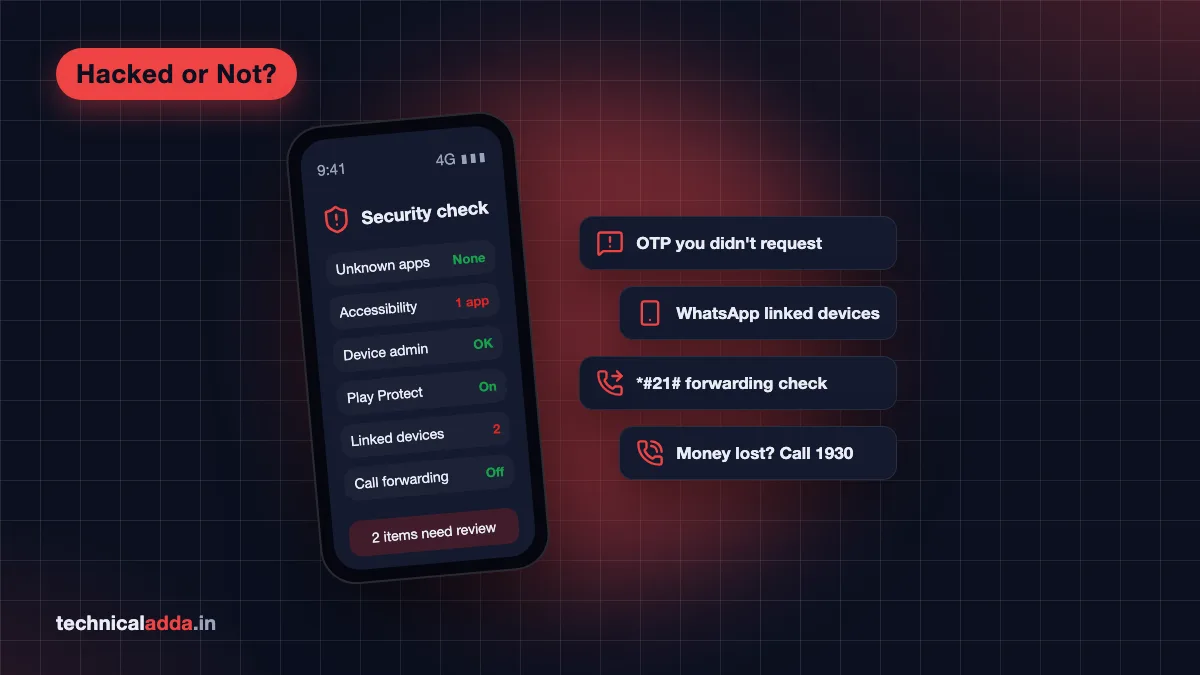
If you are wondering whether your phone is hacked or not, how to check it properly comes down to five settings screens, two account pages and one call forwarding code. This guide walks through all of them in order, tells you what a real red flag looks like, and lists exactly where to report it in India.
Quick answer: To check if your phone is hacked, look for apps you never installed, unknown apps with Accessibility, Device admin or Notification access, unknown devices in WhatsApp Linked devices and your Google account, OTPs you didn't request, and call forwarding you didn't set. Run Play Protect. If money is involved, call 1930 immediately.
Signs your phone is hacked (and signs that are usually nothing)
The strongest signs of a hacked phone are things you can't explain: OTP messages for logins you didn't start, UPI or bank alerts you didn't make, friends receiving messages you never sent, and apps with odd names that you don't remember installing. Battery drain and heating on their own are weak signals.
Here is how to read the common symptoms. Treat anything in the "strong" column as a reason to run the full check below today.
| Symptom | How worried to be | What it usually means |
|---|---|---|
| OTP SMS for logins you didn't start | Strong sign | Someone has your number or password and is trying to log in |
| UPI, bank or wallet debit you didn't make | Strong sign, act now | Account takeover or a remote access app; call 1930 |
| Friends get messages or links you didn't send | Strong sign | WhatsApp, Instagram or Telegram account taken over |
| Unknown app with Accessibility or Device admin access | Strong sign | Classic behaviour of banking malware from fake APKs |
| Calls not reaching you, callers hear a different number | Medium sign | Call forwarding set without your knowledge |
| Green camera or mic dot when no app is open | Medium sign | An app using camera or mic in the background |
| Pop-up ads on the home screen or lock screen | Medium sign | Adware from a free app, a nuisance more than a hack |
| Phone hot and battery drains fast | Weak sign | Heavy apps, poor signal, old battery or a bad update |
| Phone slow, storage full | Weak sign | Storage pressure, rarely malware |
| Strange clicks or echo on calls | Not a sign | Network noise; call interception doesn't sound like anything |
Heating and battery problems have far more ordinary causes than malware. Our guide to the phone heating problem and its fixes covers those, and it's worth ruling them out before you panic.

A phone that runs warm and loses charge while sitting idle is worth checking, though a heavy app is often the real cause.
Phone hacked or not: how to check in 15 minutes
This is the check we'd run on a family member's Android phone. Menu names differ between Samsung, Xiaomi, Vivo, Oppo, Realme and stock Android, so if a path doesn't match, use the search bar at the top of Settings and type the key word (for example "device admin").
Step 1: Look for apps you never installed
Go to Settings > Apps and scroll the full list, not just the app drawer. Malware often hides its icon, so it won't appear on the home screen.
Look for:
- Generic names like "System Update", "Settings Service", "Google Service" or "Wi-Fi Service" that aren't from your phone maker
- Apps named after a government scheme, an RTO challan, a courier, a bank KYC update or a wedding invitation
- Anything installed on the day the trouble started
Tap a suspicious app and check App details or App info. If it was installed from "Package installer" or a file manager instead of Play Store, that's a red flag.
Step 2: Check Accessibility, Device admin and Notification access
These three permissions are what Android banking malware needs to read your screen, tap buttons for you and steal OTPs. Normal apps rarely need them.
- Accessibility: Settings > Accessibility > Installed apps (or Downloaded apps). Only things like a screen reader, a launcher or a password manager should be here.
- Device admin apps: usually under Settings > Security (or Security and privacy) > More security settings > Device admin apps. Find My Device is normal. Anything else you don't recognise is not.
- Notification access: Settings > Apps > Special app access > Notification access (search "notification access" if your phone names it differently). An unknown app here can read every OTP that arrives as a notification.
Turn off anything suspicious, then uninstall it. If the Uninstall button is greyed out, remove its Device admin permission first.
Step 3: Check "Install unknown apps"
Go to Settings > Apps > Special app access > Install unknown apps. Every app with "Allowed" can install APK files on your phone. WhatsApp, Telegram, Chrome and file managers should all say "Not allowed" unless you have a specific reason.
Step 4: Run Google Play Protect
Open Play Store > profile icon > Play Protect and tap Scan. Then open Settings inside Play Protect and make sure "Scan apps with Play Protect" is on. According to Google's Play Protect help page (opens in new tab), it checks apps when you install them, scans the device periodically, and can disable or remove harmful apps. It can also block apps from riskier sources, such as a browser or a chat app, that ask for sensitive permissions often used in financial fraud.
Play Protect won't catch everything, but a "harmful app found" warning is about as clear a signal as you'll get.
Step 5: Check camera, mic and location use
On Android 12 and later, Settings > Security and privacy > Privacy > Privacy dashboard (path varies) shows which apps used the camera, microphone and location in the last 24 hours. A flashlight or wallpaper app using the microphone at 2 am deserves to be removed.
Step 6: Check your Google account
Open Google's Security Checkup (opens in new tab) on any browser. Look at "Your devices" and "Recent security activity". Sign out any device you don't own, and if you see a login from a city you've never been to, change the password right away.
Step 7: Check call forwarding
Dial *#21# and press call. On most networks it shows whether unconditional call forwarding is on. If it shows a number you don't know, cancel all forwarding with ##002#. Scammers sometimes trick people into dialling a forwarding code so OTP calls go to the scammer. If the codes don't respond on your network, call your operator's customer care.
Going through installed apps and their permissions shows any app you never installed or one that wants far more access than it needs.
Check if you were hacked through WhatsApp
Many "my phone is hacked" stories in India are really "my WhatsApp is hacked". The phone is fine. The account was taken over, usually because someone got the six-digit registration code by posing as a friend, a delivery agent or a contest organiser.
Check these in WhatsApp:
- Linked devices: tap the three-dot menu > Linked devices. Every WhatsApp Web, desktop or tablet session is listed here. Tap any you don't recognise and choose Log out.
- Two-step verification: Settings > Account > Two-step verification. Turn it on and set a PIN only you know. This stops someone registering your number on a new phone even if they get the SMS code.
- Messages you didn't send: check recent chats and groups for links or money requests sent in your name.
If you've been logged out and WhatsApp asks you to verify your number again, someone has registered your number on another phone. Re-register right away with the SMS code; that logs them out. Then turn on two-step verification and warn your contacts not to send money to any request from your number for the next few days.
The *#21# code myth
No dial code can tell you whether your phone is hacked. A viral video in December 2023 claimed that dialling *#21# reveals a hack and ##002# removes it. Fact Crescendo rated that claim false (opens in new tab): *#21# only shows call forwarding status, and ##002# only cancels forwarding.
The codes are still useful, as Step 7 shows, because forwarding is one real trick scammers use. They just can't detect malware or a stolen account. Ignore any message that says "dial this code to check if you are hacked", and never dial a code a stranger reads out to you on a call.
iPhone: what to check
iPhones are harder to infect because apps can only come from the App Store, but accounts still get stolen. On an iPhone:
- Apple Account devices: Settings > your name, then scroll to the device list. Remove anything you don't own.
- Profiles: Settings > General > VPN & Device Management. A configuration profile you didn't install (outside an office phone) can route your traffic. Remove it.
- Safety Check: Settings > Privacy & Security > Safety Check lets you review and reset which people and apps have access to your data.
- Lockdown Mode: Settings > Privacy & Security > Lockdown Mode. It's meant for people who might be personally targeted by advanced spyware, such as journalists or activists. Most users don't need it.
Then update to the latest iOS, change your Apple Account password and turn on two-factor authentication.
Phone hacked: what to do right now
If any check above turned up a strong sign, work through this list in order. The order matters: protect money first, then accounts, then the phone.
- If money was taken, call 1930 now. Speed matters: the sooner you report on the national cyber crime helpline, the better the chance that banks can still hold the money.
- Block UPI and cards through your bank's app or customer care from a different phone if possible.
- Turn on flight mode or disconnect Wi-Fi on the affected phone, so the malware stops sending data.
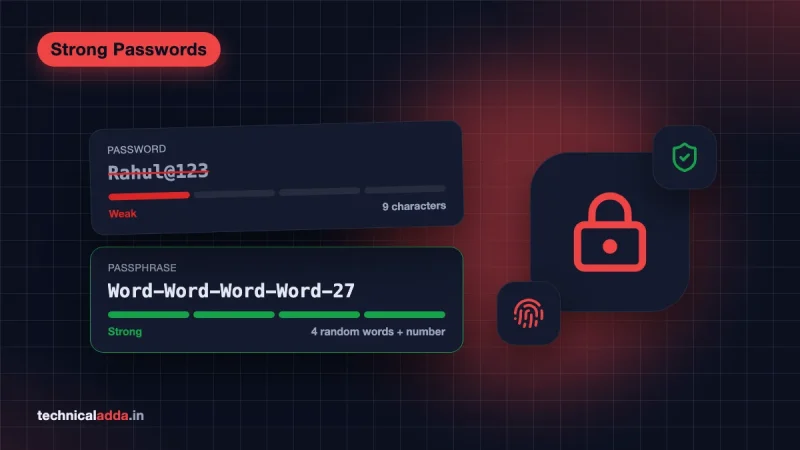
- Change passwords from a different, clean device. Start with email, then banking and UPI apps, then WhatsApp and social media. Use long, unique passwords; our list of strong password examples shows how to make ones you can remember.
- Remove the bad app using Steps 2 and 1 above (permissions first, then uninstall).
- Back up photos and contacts only, not apps, then do a factory reset if you found malware or are still unsure. Settings > System > Reset options > Erase all data. Don't restore old app backups that might bring the malware back.
- Update Android and every app once the phone is clean.
If the "hacker" is a caller claiming to be police, CBI or customs, you're facing a scam, not a phone hack. Our explainer on the digital arrest scam shows how those calls work.

After a suspected hack, change passwords from a clean device, protect your SIM and reset the phone if the warning signs continue.
Where to report in India
Report even if you didn't lose money. It creates a record and helps police link cases.
| Situation | Where to report | How |
|---|---|---|
| Money lost through UPI, card or net banking | National cyber crime helpline | Call 1930, then file on cybercrime.gov.in (opens in new tab) |
| Account hacked, harassment, sextortion, no money lost | National Cyber Crime Reporting Portal | File a complaint on cybercrime.gov.in |
| Fraud call, SMS or WhatsApp message | Chakshu on Sanchar Saathi | sancharsaathi.gov.in (opens in new tab) or the Sanchar Saathi app |
| Unknown SIM connections in your name | Know Mobile Connections in Your Name | Sanchar Saathi portal or app |
| Phone stolen or lost | Block Your Lost/Stolen Mobile Handset (CEIR) | Sanchar Saathi; see our CEIR blocking guide |
| Malware campaign, a hacked company or website | CERT-In | Email [email protected]; details on cert-in.org.in (opens in new tab) |
| Unauthorised bank transaction | Your bank | Report through the bank's official app or customer care number |
The Sanchar Saathi "Know Mobile Connections in Your Name" check is worth doing even if nothing looks wrong. A SIM issued on your documents without your knowledge is how some account takeovers start.
How to stop it happening again
Most phone compromises in India need you to do one thing for the attacker: install a file, share a code or tap a link. Cut those three habits and your risk drops sharply.
- Never install APK files from WhatsApp or Telegram. Banks, RTO, the income tax department and courier companies don't send apps as attachments.
- Never share an OTP or WhatsApp code with anyone, including someone who claims to be from your bank, telecom operator or a government office.
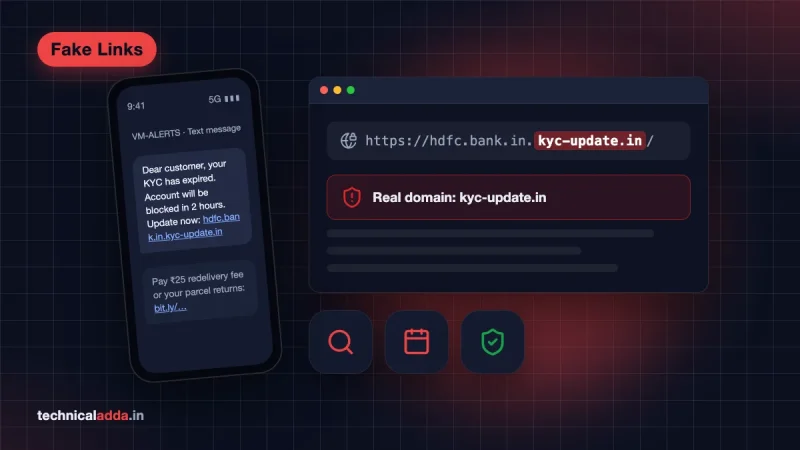
- Check links before you tap. Our guide on how to check a fake website or link shows what to look for.
- Turn on two-step verification on WhatsApp and two-factor authentication on Google and Instagram.
- Keep Play Protect on and install monthly security updates. A phone that no longer gets updates should be replaced when you can afford it.
- Lock the screen with a PIN of six digits or more, not a pattern anyone can see over your shoulder.
- Review app permissions every few months, using Steps 2 and 5.
More guides on staying safe online are in our cyber safety section.
The 15-minute hack check in six lines
- Heat and battery drain alone prove little; unrequested OTPs, unknown debits and messages you didn't send are the real warnings.
- Check installed apps, Accessibility, Device admin and Notification access, Install unknown apps, Play Protect and your Google account devices, in that order.
- Many "phone hacks" in India turn out to be WhatsApp or bank account takeovers through a shared code or a fake APK.
- *#21# only checks call forwarding; no dial code can detect a hack.
- If money is involved, call 1930 first, then file on cybercrime.gov.in.
- Use Sanchar Saathi to report fraud messages and check SIMs issued in your name.
Clean result or red flag: your next move
If your phone passes every check (apps, three sensitive permissions, unknown-app installs, Play Protect, your Google account, WhatsApp linked devices and call forwarding), it almost certainly isn't hacked, and the heating or slowness you noticed has a normal cause. If something looks wrong, protect your money first with 1930, then your accounts, then the phone. Start by changing your weakest password today using our guide to strong password examples.
FAQ
Frequently Asked Questions
How can I check if my phone is hacked?
Check Settings > Apps for apps you never installed, then look at Accessibility, Device admin and Notification access for unknown apps. Run Play Protect, review your Google account's devices and recent security activity, and check WhatsApp Linked devices. Dial *#21# to confirm no call forwarding is set. Unexplained OTPs or bank debits are the clearest signs.
What are the signs of a hacked Android phone?
The clearest signs are OTP messages you didn't request, money debited without your action, messages sent from your accounts that you didn't write, and unknown apps holding Accessibility or Device admin permission. Pop-up ads on the home screen suggest adware. Heating, slowness and fast battery drain are weak signs with many ordinary causes.
Does dialling *#21# show if my phone is hacked?
No. *#21# only shows whether call forwarding is active on your number, and ##002# only cancels forwarding. A December 2023 viral claim that these codes detect or remove hacking was rated false by fact-checkers. Use *#21# to rule out forwarding, then check apps, permissions and accounts for real signs of compromise.
Can someone hack my phone through WhatsApp?
Usually they hack the WhatsApp account, not the phone. The common method is tricking you into sharing the six-digit registration code, which lets them register your number on their phone. Fake APK files sent on WhatsApp can also install malware if you open them. Turn on two-step verification and never install apps from chat attachments.
What should I do first if my phone is hacked?
If money was taken, call 1930 immediately, then block UPI and cards through your bank. Next, turn on flight mode on the affected phone and change your email, banking and WhatsApp passwords from a different device. Then remove the suspicious app or factory reset the phone, and file a complaint on cybercrime.gov.in.
Does a factory reset remove hackers from my phone?
A factory reset removes almost all malware installed as apps, because it wipes everything you installed. It doesn't fix stolen accounts, so change your passwords and sign out unknown devices too. Back up only photos and contacts before the reset, and avoid restoring old app backups that could bring a malicious app back.
Can someone hack my phone just by calling me?
For ordinary users, no. A normal voice call can't install malware on an updated phone. Calls are used for social engineering instead: the caller persuades you to share an OTP, install a screen-sharing app or dial a forwarding code. Zero-click spyware exists, but it targets a small number of high-value people and is extremely expensive.
Is my phone hacked if the camera or mic light turns on?
Not always. On Android 12 and later, a green dot appears whenever an app uses the camera or microphone, including video calls, voice search and camera-based scanners. Pull down the notification shade and tap the dot to see which app is using it. If you don't recognise the app, remove its permission and uninstall it.
Where do I complain if my phone is hacked in India?
Call the national cyber crime helpline 1930 if money is involved, and file a complaint on cybercrime.gov.in for any hacking, harassment or account takeover. Report fraud calls and messages through Chakshu on the Sanchar Saathi portal or app. CERT-In handles larger cyber security incidents and can be reached at [email protected].
Do I need an antivirus app on my phone?
Most Android users don't need a paid antivirus. Google Play Protect is built in, scans apps on install and periodically, and can remove harmful apps. What matters more is not installing APK files from chats, keeping security updates on and never sharing OTPs. A second-opinion scanner helps only if you regularly install apps from outside Play Store.